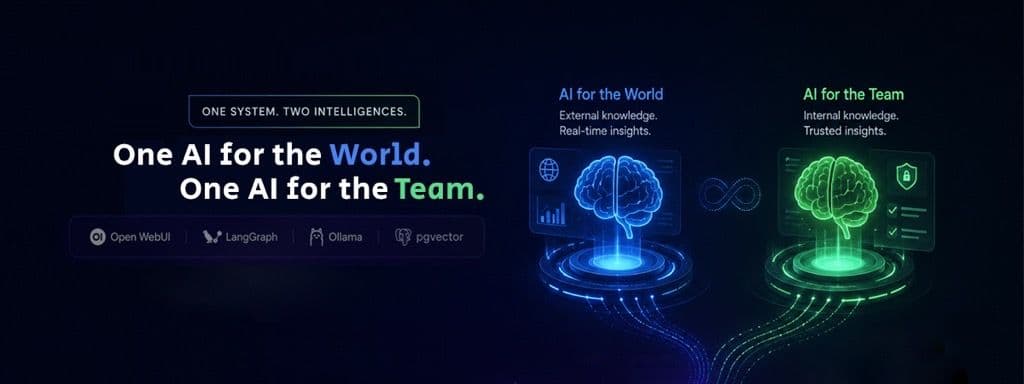
A deep-dive into architecting a self-hosted, multi-tier RAG system using Open WebUI, LangGraph, Ollama, and pgvector - with one AI for the world, and one for the team.
The Problem We Were Hired to Solve
When a client came to us, they had two pain points that felt disconnected - but were actually two sides of the same coin.
Pain Point #1 - The Customer Support Bottleneck:
Their website had no intelligent way for visitors to find answers. Every question about services, pricing, or support went straight to an already-overwhelmed support team. Response times were slow. Conversions were dropping.
Pain Point #2 - The Internal Knowledge Silo:
Their engineering and operations team was drowning in 400+ Confluence pages, outdated runbooks, and “tribal knowledge” that lived only in the heads of senior engineers. Onboarding a new developer took weeks. Answering “what version is the auth service running in staging?” required a Slack message, a wait, and a prayer.
Both problems had the same root cause: their knowledge wasn’t working for them. It was locked in static files no one could query intelligently.
Our solution:
AI-IKB (Autonomous Infrastructure Knowledge Base) - a production-grade RAG system that serves two distinct audiences from one unified, self-hosted AI core.
The Vision: One Platform, Two Intelligent Surfaces
The core architectural decision was this: we would not build one monolithic RAG system. Instead, we designed a platform with two completely isolated intelligence layers:
Layer | Audience | Data Sources | Use Case |
| Public AI | Website Visitors / Customers | Service docs, FAQs, pricing pages | Answer questions, qualify leads, reduce support load |
| Internal AI | Engineers & Operations Team | Confluence, Git repos, K8s manifests, architecture diagrams | Infrastructure queries, codebase awareness, incident response |
This is not a UX decision - it’s a security architecture decision. Customers should never be able to query internal infrastructure data. Engineers should never be limited to only public-facing knowledge. The two worlds must be enforced at the data layer, not just the UI layer.
The Tech Stack
To guarantee data sovereignty for our client, we deployed everything on their own infrastructure - no data ever leaves their network.
Component | Technology | Role |
LLM Engine | Ollama + Gemma 4 | Local inference, self-hosted |
Knowledge Hub | API generation, knowledge collections, RBAC | |
Orchestration | Stateful, agentic tool routing | |
Vector & Relational DB | PostgreSQL + pgvector | Semantic search, state persistence |
Embeddings | nomic-embed-text via Ollama | Document vectorization |
Ingestion | Parsing docs, code, diagrams | |
Caching | Redis | Low-latency repeated query response |
Deployment | Kubernetes (K8s) + Kustomize | Scalable, resilient container orchestration |
No GPU server? No problem. The system is provider-agnostic. The Ollama backend can be swapped for Google Gemini or OpenRouter APIs with a single environment variable change—giving teams full flexibility between self-hosted and cloud-based inference depending on budget, latency requirements, or privacy constraints.

How It’s Implemented: A Technical Deep Dive
Step 1 - Separate Knowledge Collections in Open WebUI
The foundation of the entire system is data separation, enforced at the source.
Using Open WebUI’s Knowledge Collections, we created two isolated silos:
- “Client Public” Collection: Ingested and indexed from the client’s website content, product documentation, FAQ pages, and service brochures.
- “Infrastructure & DevOps” Collection: Ingested from Confluence pages, private Git repositories, Kubernetes manifests, YAML configuration files, and architecture diagrams.
Each collection is completely independent. There are no shared vector indexes, no shared tables, and no shared query paths between them.
Step 2 - Scoped API Keys: RBAC at the Infrastructure Level
This is the most important security layer. Data separation is achieved through standard Role-Based Access Control (RBAC) - a User or Service Account is granted exclusive access to a specific Knowledge workspace, and their associated API key inherits these strict boundaries.
- Public API Key → Tied to a Service Account with access only to the “Client Public” Collection. This key cannot query the internal database, cannot trigger any tool execution, and cannot see any configuration data. Even if this key is leaked or the frontend is compromised, an attacker cannot reach internal infrastructure information.
- Internal API Key → Tied to an Internal Service Account with access exclusively to the “Infrastructure & DevOps” Collection. While currently strictly a retrieval pipeline, this identity is structurally provisioned to securely accommodate our planned Phase 2 LangGraph tool nodes.
This is Role-Based Access Control (RBAC) at the API layer - not just in the UI, not just in the application logic, but baked into the identity of each API key itself.
Step 3 - The Public Website Chat: How It Works End-to-End
Website Visitor Types Question
↓
Client's Website (JS widget) → HTTPS POST → FastAPI Proxy
↓
FastAPI checks Redis cache:
→ Cache HIT? → Return cached response in <10ms
→ Cache MISS? → Forward to Open WebUI (Public API Key)
↓
Open WebUI triggers Hybrid Search on "Client Public" Collection
→ BM25 keyword match (exact terms)
→ nomic-embed-text semantic search (meaning-based)
→ Top 4 most relevant chunks retrieved
↓
Gemma 4 generates a response (temp=0.2 for factual consistency)
↓
Response returned to visitor in <2 seconds
Result cached in Redis for future identical queries
Why this matters to the client: Their support team now handles a fraction of routine queries. Customers get instant, accurate answers 24/7. The AI never goes off-brand because the retrieval is restricted to approved, curated content.
Key tuning decisions: * Temperature 0.2: Ensures the model gives factual, consistent answers rather than creative but potentially wrong ones. * Top-4 Context Chunks: Balances retrieval quality with speed. More context = slower response. * Redis Token Bucket Rate Limiting: Protects the backend from abuse or scraping attempts.
Step 4 - The Internal Employee Portal: How It Works End-to-End
The internal portal is, at its core, a knowledge retrieval engine. Employees interact with a secure, SSO-authenticated Open WebUI instance that is wired exclusively to the “Infrastructure & DevOps” Knowledge Collection. It does not execute live commands or connect to external systems in its current implementation — that is intentional.
Here is the current request flow:
Employee Asks: "What version of the auth service is running in staging?"
↓
Open WebUI Internal UI (SSO authenticated) → Internal API Key
↓
Hybrid Search on "Infrastructure & DevOps" Collection
→ BM25 keyword match + nomic-embed-text semantic search
→ Top relevant chunks retrieved from indexed runbooks,
Confluence docs, YAML files, and architecture notes
↓
Gemma 4 synthesizes a natural language response
→ Cites the relevant document/section
→ Provides version, architecture context, or config details
↓
Employee receives a grounded, sourced answer in seconds
Why this matters: A junior engineer can now get an answer in 10 seconds that previously required finding the right senior engineer, waiting for a response, and hoping the runbook was up to date. The AI becomes the institutional memory that never sleeps and never forgets.
Codebase Awareness: We used Docling to recursively parse the client’s private Git repositories. The resulting embeddings allow the LLM to explain not just what the code does, but why it was architected that way — making it an invaluable onboarding and incident response tool.
Safety Guardrails: What the AI Cannot Do
A common concern when deploying internal AI assistants is unintended access. We addressed this by design, not as an afterthought:
No Command Execution: The current system is strictly a retrieval and generation pipeline. It cannot run shell commands, kubectl commands, or any system-level scripts. There is no tool-call executor attached to the current deployment.
No Secrets Retrieval via Chat: The AI does not have access to Kubernetes Secrets, .env files, or credential stores. These are explicitly excluded from the ingestion pipeline’s source scope.
No Destructive Operations: Prompts asking the AI to perform actions like deletions (rm, kubectl delete, database drops) are handled gracefully — the model is instructed to decline and redirect to the appropriate human owner.
Scoped Knowledge Only: The internal API key inherits strict RBAC boundaries restricting it to the “Infrastructure & DevOps” collection. It cannot query, infer from, or leak data from any other collection or data source.
Planned: Agentic Tool Execution (Phase 2)
In the next phase, we plan to introduce controlled LangGraph Tool Nodes that can execute a pre-approved, audited library of read-only Python scripts - for example, querying pod status from the Kubernetes API or fetching the latest Git commit for a service. Every tool will be whitelisted, sandboxed, and logged. This is a deliberate, phased approach to trust-building before granting the AI any operational access.
Step 5 - Vector Database: Optimized for Speed and Accuracy
- HNSW Indexing: We used Hierarchical Navigable Small World (HNSW) indexes instead of the default IVFFlat. HNSW achieves better recall at lower latency, keeping vector similarity searches under 50ms even across millions of document chunks, using Cosine Distance as the metric.
- Semantic Chunking via Docling: Standard RAG systems split documents every N characters. We implemented semantic-aware chunking that respects Markdown headers, code block boundaries, and table structures. This means the LLM always receives complete, logically intact context - not a sentence that got cut off halfway through a YAML key.
Step 6 - LLM Infrastructure: Purpose-Configured for Each Surface
Both interfaces run on Ollama serving Gemma 4, but with configurations tuned per audience:
Config | Public Interface | Internal Interface |
Context Window | 4k tokens | 8k tokens |
Temperature | 0.2 (factual) | 0.4 (analytical) |
Scaling | Horizontal (HPA) | Reserved resources |
We enforced Kubernetes Tolerations and Node Affinity so public and internal workloads run on separate node pools. High-traffic public queries cannot starve the internal agent of GPU compute during peak hours.
The Impact: Before vs. After
Metric | Before AI-IKB | After AI-IKB |
Customer support tickets (routine) | High volume | Significantly reduced |
Time to answer “what’s running in staging?” | 15–30 min (Slack + human) | <15 seconds (AI) |
Developer onboarding time | 2–3 weeks | Accelerated via codebase Q&A |
Infrastructure change audit trail | Inconsistent | 100% Git-tracked |
Knowledge accessibility | Siloed in Confluence | Instantly queryable |
Lessons Learned
Building AI-IKB taught us three things that no AI tutorial will tell you:
- RAG is 20% LLM, 80% data governance. The quality of the answer is determined entirely by the quality, structure, and segmentation of your ingested data. The model is the last mile.
- Security architecture must be enforced at the data layer. Hiding sensitive data behind a UI is not security. When you enforce isolation at the vector database and API key level, there is no application bug that can cause a leak.
- The “Human-in-the-Loop” is not a limitation — it’s a feature. The most productive AI systems aren’t autonomous; they’re AI-assisted. The agent proposes; the human decides. This builds trust, and trust is what makes adoption succeed.
Is Your Organization Sitting on Untapped Knowledge?
If your team recognizes any of these symptoms: - Support teams drowning in repetitive, answerable questions - Engineers spending hours searching Confluence for a YAML value - New hires taking weeks to understand your codebase - Infrastructure changes with no reliable audit trail
…then you’re carrying a hidden operational cost that AI-IKB was purpose-built to eliminate.
We build these systems end-to-end — from knowledge ingestion and vector architecture to custom frontends and GitOps guardrails. Whether you need a self-hosted, fully private deployment or a cloud-connected hybrid using Gemini or OpenRouter, we architect for your constraints.
Let’s talk about what we can build for your team. → Reach out to SupportSages