


A practical guide for WordPress admins and server managers - with safe, step-by-step conversion methods
If your WordPress site or PHP application is sitting on MyISAM database tables, you may be leaving performance on the table. Converting MyISAM to InnoDB is one of the most effective - and most overlooked - MySQL optimisations for busy, dynamic websites. This guide is for WordPress administrators, cPanel server managers, and DevOps teams who want a faster, more stable database without touching their application code. You will learn the key differences between the two storage engines, how to identify which tables need converting, and how to perform the conversion safely using five different methods - from a simple plugin click to a direct SQL command over SSH.
What Are MySQL Storage Engines?
MySQL supports multiple storage engines - the underlying mechanisms that control how your data is stored, indexed, and retrieved. The engine a table uses has a direct impact on how it handles concurrent traffic, what happens during a server crash, and whether your data stays consistent under load.
Two engines you will encounter on almost every shared or managed hosting environment are MyISAM and InnoDB. They were built for very different eras of web development, and the gap between them matters a great deal for modern applications.
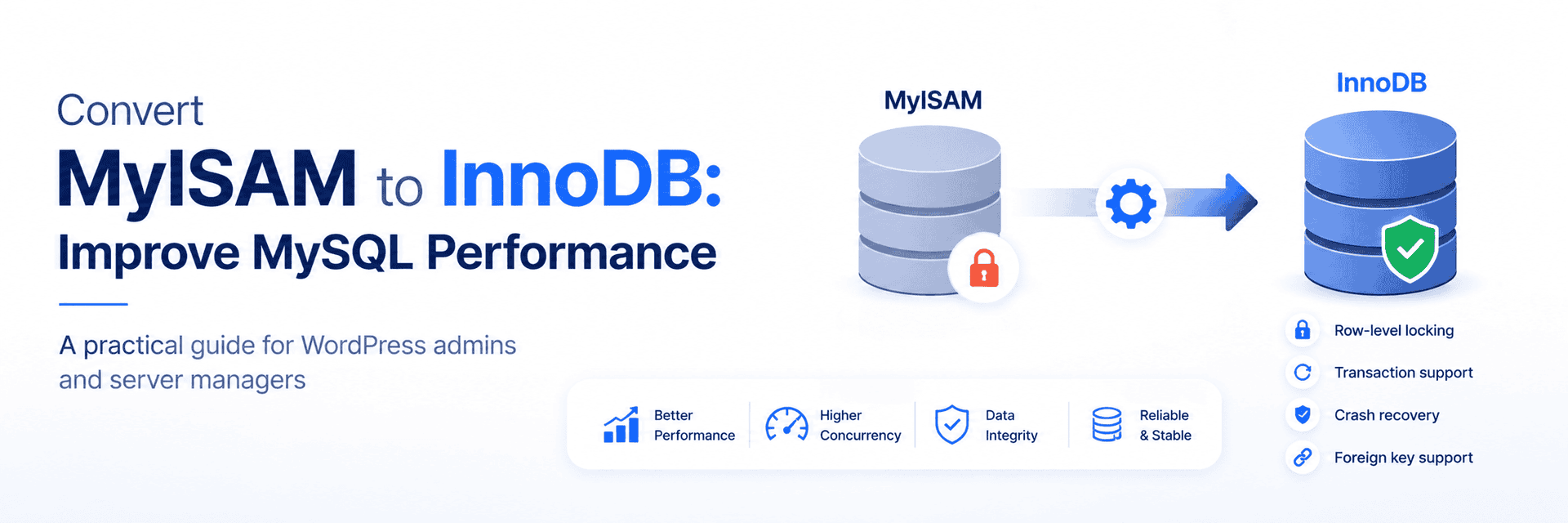
MyISAM vs InnoDB: Key Differences
MyISAM - The Legacy Engine
MyISAM was the default MySQL storage engine before version 5.5. It is lightweight and performs well for simple read-heavy workloads, which made it a sensible default in the early days of web hosting. For modern, dynamic applications, however, it has significant limitations:
- Table-level locking - Only one write operation can happen at a time. Every other process waits, creating a bottleneck under concurrent traffic.
- No transaction support - If a series of database operations fails midway, there is no rollback. Partial or corrupted writes can occur.
- No foreign key support - Relational integrity between tables cannot be enforced.
- No crash recovery - MyISAM tables are prone to corruption if the server restarts unexpectedly or loses power.
InnoDB - Built for Modern Applications
InnoDB replaced MyISAM as MySQL's default engine from version 5.5 onwards. It is designed for reliability, concurrency, and data integrity - which is exactly what dynamic web applications demand:
- Row-level locking - Multiple users can read and write to different rows of the same table simultaneously, eliminating the bottleneck.
- Full transaction support - Operations can be grouped and rolled back if anything fails, ensuring data consistency.
- Automatic crash recovery - InnoDB logs transactions and restores data to a consistent state after an unexpected shutdown.
- Foreign key enforcement - Relational integrity between tables is maintained automatically, preventing orphaned or inconsistent records.
- Better concurrency - Handles large numbers of simultaneous connections gracefully, making it well-suited for eCommerce, membership, and LMS sites.
Side-by-Side Comparison
| Feature | MyISAM | InnoDB |
| Row-level locking | ✗ Table-level only | ✔ Yes — multiple concurrent writes |
| Transaction support | ✗ None | ✔ Full COMMIT / ROLLBACK |
| Crash recovery | ✗ Prone to corruption | ✔ Automatic via transaction logs |
| Foreign key support | ✗ Not supported | ✔ Enforced relational integrity |
| Concurrency under load | ✗ Bottlenecks at high load | ✔ Scales with simultaneous connections |
| Best use case | Read-heavy, static datasets | Dynamic apps, WordPress, eCommerce |
Why WordPress Runs Better on InnoDB
WordPress is a constantly active application. Every page load, comment submission, plugin update, and admin action triggers multiple database reads and writes. Under MyISAM, even moderate traffic can produce table-lock queues that slow the entire site. InnoDB eliminates that problem at the engine level.
- Simultaneous user activity — Multiple visitors can comment, log in, or submit forms without the database becoming a bottleneck.
- Fewer locking issues — Plugins and themes that make frequent database changes no longer block each other.
- Better fault tolerance — If a plugin update fails midway or the server restarts suddenly, InnoDB recovers your data automatically.
- Relational plugin support — Complex plugins like WooCommerce, BuddyPress, and LearnDash depend on structured table relationships that InnoDB enforces correctly.
✔ According to MySQL's own benchmarks, InnoDB outperforms MyISAM on mixed read/write workloads — the exact profile of a dynamic WordPress site. For high-traffic sites, the difference in page load times can be measurable.
When Should You Convert MyISAM to InnoDB?
Not every site will have MyISAM tables — newer WordPress installations default to InnoDB already. But older sites, migrated databases, and certain plugins can still introduce MyISAM tables. Converting is worth doing if any of the following apply:
- Your site handles high traffic or frequent content changes.
- You are running database-heavy plugins such as WooCommerce, BuddyPress, or LearnDash.
- You have noticed slow database queries or intermittent site hangs under load.
- Your site was migrated from an older server or hosting environment.
- You want better protection against database corruption from unexpected restarts.
How to Check Which Engine Your Tables Are Using
Before converting anything, confirm which tables actually need it. There are two easy ways to check:
Via phpMyAdmin
- Log in to phpMyAdmin and select your database.
- Click on any table, then open the Operations tab.
- The current storage engine is listed under Storage Engine.
Via Direct SQL Query
Run this query to list all tables and their engines in a single database:
SELECT TABLE_NAME, ENGINE
FROM information_schema.TABLES
WHERE TABLE_SCHEMA = 'your_database_name'
ORDER BY ENGINE;
Replace your_database_name with your actual database name. Any table showing MyISAM in the ENGINE column is a candidate for conversion.
Via LiteSpeed Cache Plugin
If LiteSpeed Cache is installed on your WordPress site, go to LiteSpeed Cache → Database. The Database Optimisation section lists all tables along with their current engine.
Always take a full database backup before converting any tables. While InnoDB conversion is generally safe, having a backup ensures you can restore immediately if anything goes wrong. Use mysqldump, cPanel Backup, or your hosting control panel's backup tool.
How to Convert MyISAM to InnoDB
There are five methods available depending on your access level and preference. Choose the one that best matches your environment:
Method 1 - LiteSpeed Cache for WordPress
If you have LiteSpeed Cache installed, this is the easiest option. Navigate to LiteSpeed Cache → Database → Table Engine Converter. Tables are listed with their current engine. Click Convert to InnoDB next to each MyISAM table. No command line required.
Method 2 - phpMyAdmin
- Log in to phpMyAdmin and open your database.
- Click on the table you want to convert.
- Go to the Operations tab.
- Under Storage Engine, select InnoDB from the dropdown.
- Click Save. The table is converted immediately
Repeat this for each MyISAM table. For databases with many tables, Methods 4 or 5 below are faster.
Method 3 - WP-CLI (Command Line)
If you have WP-CLI access on your server, run this for a single table:
wp db query "ALTER TABLE your_table_name ENGINE=InnoDB;"Replace your_table_name with the actual table name
Method 4 - Direct MySQL via SSH
SSH into your server, connect to the MySQL shell, and run:
ALTER TABLE your_table_name ENGINE=InnoDB;To convert all MyISAM tables in a database at once, use this query to generate and run the ALTER statements in bulk:
-- Generate ALTER statements for all MyISAM tables
SELECT CONCAT('ALTER TABLE `', TABLE_NAME, '` ENGINE=InnoDB;')
FROM information_schema.TABLES
WHERE TABLE_SCHEMA = 'your_database_name'
 AND ENGINE = 'MyISAM';
-- Or run them directly via a shell one-liner:
mysql -u root -p your_database_name -e "
 SELECT CONCAT('ALTER TABLE \`', TABLE_NAME, '\` ENGINE=InnoDB;')
 FROM information_schema.TABLES
 WHERE TABLE_SCHEMA = 'your_database_name'
 AND ENGINE = 'MyISAM';" | grep ALTER | mysql -u root -p your_database_name
On large tables, the ALTER TABLE command locks the table during conversion. For production databases with very large tables, consider running conversions during a low-traffic window or using a tool like pt-online-schema-change to convert without locking.
Method 5 - WordPress Plugin
Search for Simple MyISAM to InnoDB in the WordPress plugin repository. Once installed and activated, it scans your entire database and converts all eligible tables with a single click — no technical knowledge required.
After the Conversion: What to Check
Once you have converted your tables, run a quick verification to confirm everything went through correctly:
SELECT TABLE_NAME, ENGINE
FROM information_schema.TABLES
WHERE TABLE_SCHEMA = 'your_database_name'
ORDER BY ENGINE;
All previously MyISAM tables should now show InnoDB in the ENGINE column. Then
- Load your WordPress site and navigate through several pages to confirm normal operation.
- Log in to the WordPress admin and run a quick check on any database-heavy plugins.
- Check your server error logs for any MySQL warnings or errors.
- Run a quick performance test - tools like GTmetrix or Query Monitor can help you confirm faster database response times.
✔ Most admins notice snappier admin panel response and reduced page load times on dynamic pages almost immediately after converting — especially on sites running WooCommerce or membership plugins.
Frequently Asked Questions
Q: Is InnoDB faster than MyISAM?
A: For dynamic, read-write workloads like WordPress, yes. InnoDB's row-level locking allows concurrent operations that MyISAM's table-level locking blocks entirely. MyISAM can be marginally faster for simple, read-only queries on small static datasets, but that profile does not match most modern web applications.
Q: Will converting to InnoDB break my WordPress site?
A: No — if done correctly, conversion is transparent to WordPress and all plugins. The data structure stays identical; only the storage engine changes. That said, always take a full backup first so you have a fallback if anything unexpected occurs.
Q: Can I convert all tables at once instead of one by one?
A: Yes. The bulk SQL method in Method 4 generates ALTER TABLE statements for every MyISAM table in your database and executes them in one pass. For large databases, do this during a low-traffic window as each conversion briefly locks the table being altered.
Q: Are there any tables I should NOT convert to InnoDB?
A: A small number of MySQL system or internal tables may use MyISAM intentionally. Focus only on your application database (e.g. your WordPress database), not the mysql system database. If you are unsure, convert one table at a time and verify before proceeding.
Q: Does InnoDB use more disk space than MyISAM?
A: InnoDB typically uses slightly more disk space because it maintains transaction logs and additional metadata for crash recovery. In practice, the difference is minor for most WordPress databases and is more than offset by the performance and reliability gains.
Conclusion
Converting your MySQL tables from MyISAM to InnoDB is one of the highest-value, lowest-risk database optimisations available for WordPress and PHP applications. InnoDB's row-level locking eliminates the concurrency bottlenecks that slow busy sites, its transaction support keeps your data consistent, and its crash recovery protects you from corruption during unexpected shutdowns. The conversion itself takes minutes using any of the five methods covered above - and the performance difference is often noticeable immediately on dynamic, database-heavy sites.
Back up your database first, identify your MyISAM tables using the SQL query provided, choose the conversion method that fits your environment, and verify the result. That is all it takes to give your database a meaningful, lasting upgrade.
Need help optimising your MySQL database? At SupportSages, our CloudOps engineers handle MySQL performance tuning, cPanel server management, and WordPress infrastructure - so your site stays fast, stable, and secure.
→ [email protected] | +91 77363 81410 | www.supportsages.com