
Introduction
Your inbox is empty. Colleagues can't reach you. Yet your outgoing emails work fine. If this describes your situation, you have an MX record problem.
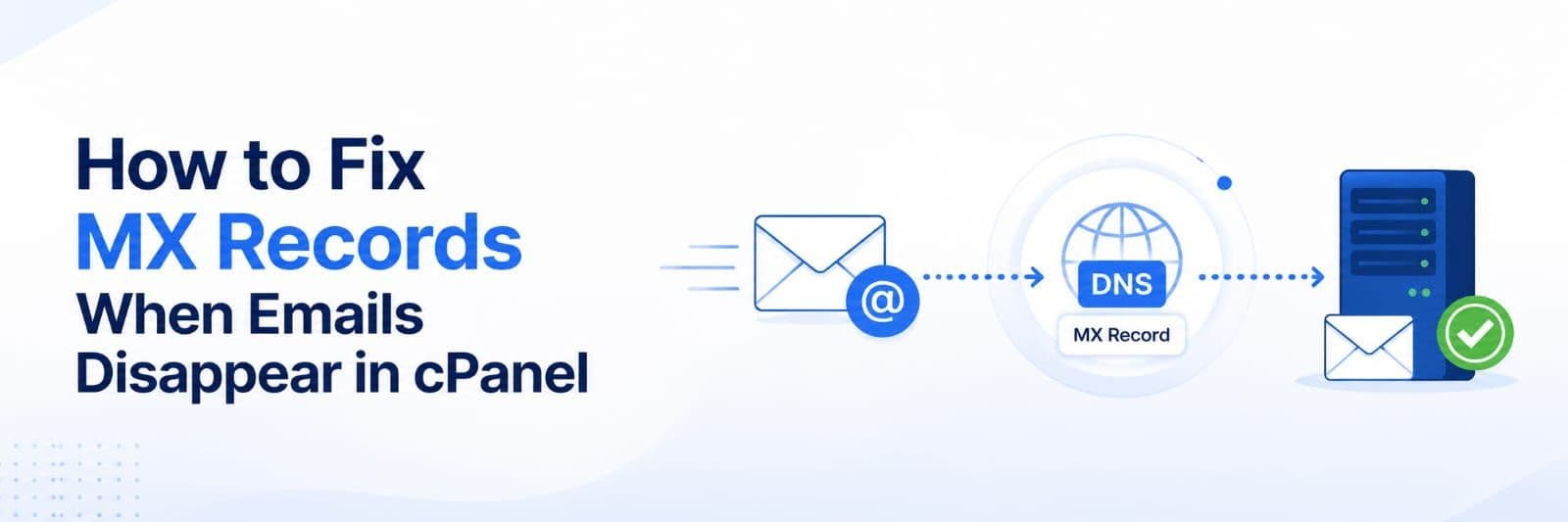
MX records are DNS entries that tell email servers where to deliver messages for your domain. When they point to the wrong server, incoming email gets lost while outgoing mail continues normally.
The Problem
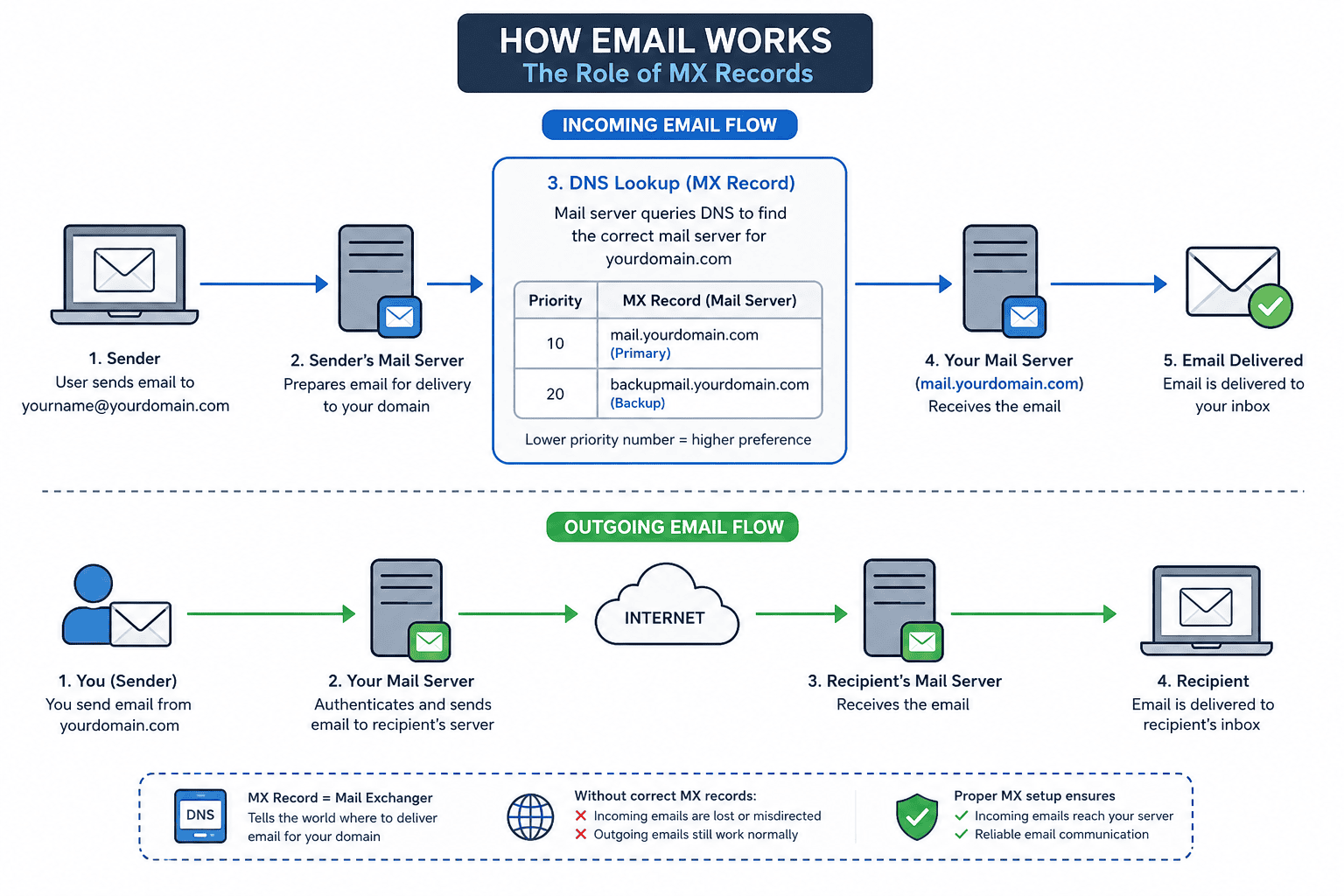
MX records control mail delivery routing. Here's the process:
- Someone sends email to [email protected]
- Their mail server queries your DNS for MX records
- Your MX record specifies which server receives mail
- Email is delivered (or lost if the record is incorrect)
If your MX record points to the wrong service, incoming mail is delivered elsewhere instead of your server. This can result in missed communications and business disruption.
Diagnosing the Issue
Check your current MX records using MX Toolbox:
- Enter your domain name
- Review the active MX records
- Verify they point to your mail server
Using the command line:
dig MX yourdomain.comnslookup -type=MX yourdomain.comFor a full DNS resolution path:
dig MX yourdomain.com +traceThis helps identify delegation problems or situations where an MX record points to a host that does not exist.
Check Exim Mail Logs:
Use Exim logs to identify delivery failures:
grep "yourdomain.com" /var/log/exim_mainlog | tail -50Watch new mail activity in real time:
tail -f /var/log/exim_mainlogSend a test email from an external account to your domain address. Wait 5 minutes. Check if it arrives. Check spam folders. Try from multiple email providers. This confirms whether the problem is real.
Fixing MX Records
Access your DNS settings:
For cPanel users:
- Log into cPanel
- Go to Zone Editor (or DNS Zone)
- Select your domain
- Find rows marked "Type: MX"
For external DNS providers:
- Log into your registrar (GoDaddy, Namecheap, etc.)
- Navigate to DNS/Zone Records
- Filter for MX entries
Understanding MX Priorities
MX priorities determine mail server preference. Lower numbers have higher priority. For example, a server with priority 10 is used before one with priority 20.
- Example:
mail.yourdomain.com (Priority 10) backupmail.yourdomain.com (Priority 20).
Make the corrections:
- Delete any MX records pointing to the wrong server
- Add correct record:
- Type: MX
- Name: @
- Value: mail.yourdomain.com (or your host's mail server)
- Priority: 10
- If you require mail redundancy, configure a secondary mail server and add it as a backup MX record with a higher priority number.
Example:
- Primary MX:
mail.yourdomain.com (Priority 10) - Secondary MX:
backupmail.yourdomain.com (Priority 20)
Do not create multiple MX records pointing to the same mail server with different priorities, as this does not provide redundancy.
4. Save changes:
DNS propagation depends on DNS TTL values and resolver caching. Changes may take anywhere from a few minutes to several hours to become visible.
Verification
Return to MX Toolbox and check your records again. Verify that they show your correct mail server with no errors.
Send a test email from an external account and verify delivery, including the spam folder.
If tests fail, check the TTL value configured on the MX records and allow time for cached DNS data to expire. Different DNS resolvers may continue serving cached records until the TTL period ends.
Check cPanel Email Routing
Even when MX records are correct, email delivery may fail if Email Routing is configured incorrectly.
To verify:
- Log in to cPanel.
- Navigate to Email Routing.
- Select the correct routing option.
Available options:
Automatically Detect Configuration: Recommended for most setups.
Local Mail Exchanger: Use when email is hosted on the same cPanel server.
Remote Mail Exchanger: Use when email is hosted externally (Microsoft 365, Google Workspace, etc.).
Incorrect Email Routing settings can prevent mail delivery even when MX records are correct.
Common Issues
Records show correct, but emails are still missing: Wait 2-4 hours for full propagation. Some systems cache DNS for extended periods.
External senders see "user not found" errors: Create the email account in cPanel Email Accounts section. The mail server must recognize the address locally.
Emails arrive in spam folder: Check SPF, DKIM, DMARC records for typos. Incomplete authentication causes mail providers to distrust your messages.
Records keep reverting to old values: Your domain registrar's DNS settings override cPanel. Update records at the registrar level instead. Remove conflicting records from cPanel afterward.
MX record points to a non-existent host: Verify that the MX destination hostname resolves correctly in DNS. Use dig MX yourdomain.com +trace to troubleshoot delegation and resolution issues.
FAQ
Q: How long do MX changes take? Most systems see changes within 30 minutes to 2 hours. Global propagation can take up to 24 hours but rarely impacts you that long.
Q: Will changing MX records delete existing emails? No. Only future incoming mail is affected. Existing emails in your account remain untouched.
Q: What if I have multiple domains? Each domain has separate MX records in your DNS zone. Repeat this process for each domain that has email issues.
Next Steps
Check your MX records now using MX Toolbox. One quick verification might reveal your entire problem. One DNS change might solve it completely.
If you need assistance diagnosing or fixing email routing issues, contact our support team. We can verify your configuration and guide you through any needed corrections.