

Amazon CloudWatch Log Groups are an important part of AWS CloudWatch Logs, providing a centralized location for storing, monitoring and managing log data created by multiple AWS services, applications, and resources. For log streams, Log Groups offer a structured and secure repository that can be searched, filtered, and analyzed to reveal information about the functionality and health of your applications and infrastructure. CloudWatch Log Groups enable effective log management while assisting you in maintaining complete log data thanks to their adjustable retention settings and strong querying features.
As we all know every log group needs a retention policy in order to save cost and reduce the complexity while searching the logs.
If the log group doesn't have a retention policy then the logs will never expire and the logs will be retained there from the creation date.
In some cases, we will choose the retention policies and in some cases, we will not. Recently we got a requirement to update the retention period of all the log groups in 5 AWS accounts and upon checking there were almost 100+ log groups in every account.
Doing them manually is pretty boring and time-consuming so we came up with a Python Script for automating this. The Python script uses Boto3 to communicate with AWS services and here we are using boto3 logs API. Also, we need to configure the IAM user with the necessary permissions in AWS CLI to get this done.
Requirements
- AWS CLI installed and configured.
- Export the AWS CLI profile.
- Python3 with boto3 installed.
The script is given below,
import boto3

logs = boto3.client('logs')

output = logs.describe_log_groups()

for_count = len(output['logGroups'])

updated_log_group = 0

retention = int(input("Please enter the retention period in number (eg 7 for 7days) : "))

allowed_retention_values = [1, 3, 5, 7, 14, 30, 60, 90, 120, 150, 180, 365, 400, 545, 731, 1096, 1827, 2192, 2557, 2922, 3288, 3653]

if retention in allowed_retention_values:
print(f"Total {for_count} log groups needs to be updated")

for name in output['logGroups']:
logname = name['logGroupName']
logs.put_retention_policy(
logGroupName= logname,
retentionInDays = retention
)
print(f"The retention policy is successfully added to {logname}")

updated_log_group += 1


print(f"The retention policy updated for {updated_log_group} out of {for_count}")
else:
print("The allowed values are [1, 3, 5, 7, 14, 30, 60, 90, 120, 150, 180, 365, 400, 545, 731, 1096, 1827, 2192, 2557, 2922, 3288, 3653] please enter a valid one")
The script asks for the user input to set retention days and checks if the input is valid. If the input is valid the script will apply the retention to all the log groups and if the input is not valid the script will print a custom message saying it is invalid along with the allowed values.

Demonstration
Here is my current retention setting for my log group /aws/lambda/testmail.
Press enter or click to view image in full size
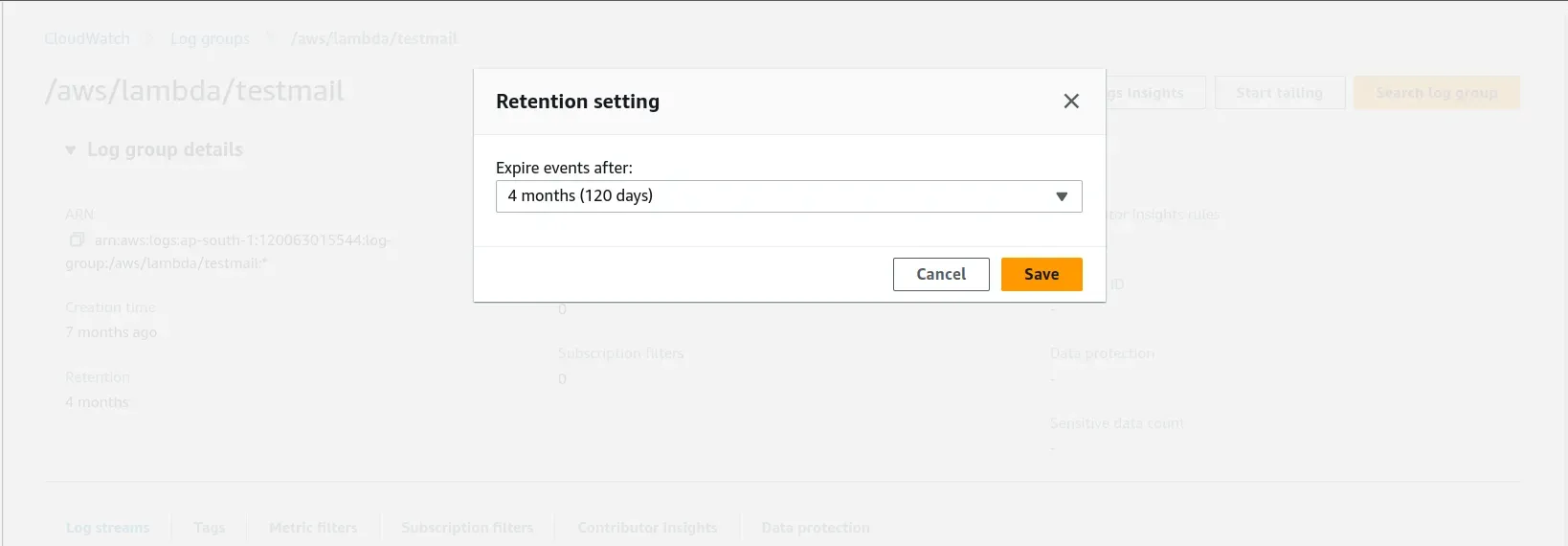
We are going to execute the script and change the retention to 7 days.
The script will ask the user for the input and if the value is invalid it will print a message.

If the value is valid the script will get executed.

Now we have set a retention policy for all the log groups in my AWS account with a retention of 7 days.
Press enter or click to view image in full size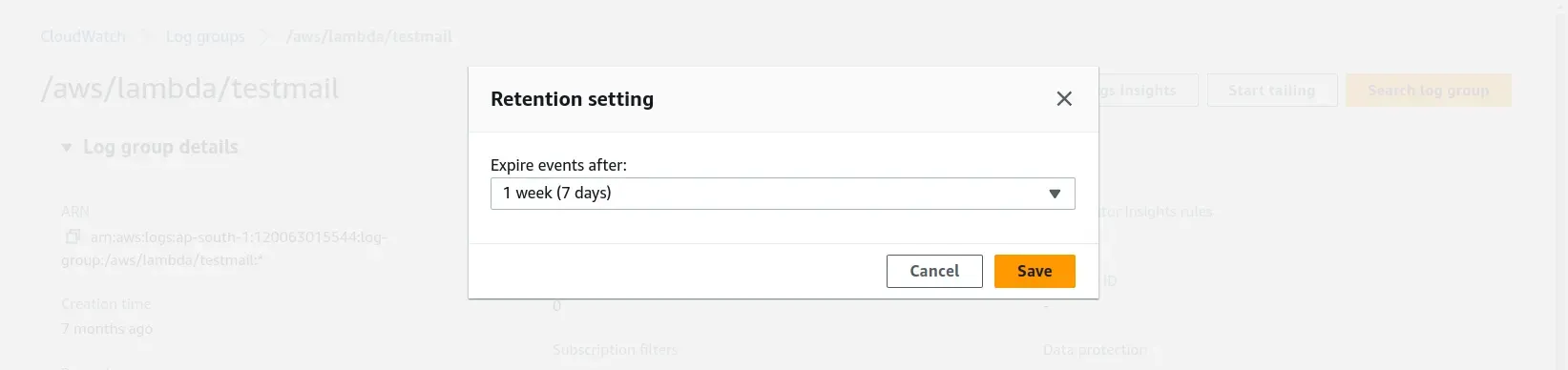
That’s it, Thank You.
Get your log groups in top shape today! Discover our step-by-step guide and Python script for simplified log management. Ready to optimize your AWS log groups? Learn more at SupportSages for expert insights and a free consultation on mastering CloudWatch Log Groups!