• TechOps

    Need clarity?
    Chat with our experts now

    • Web Hosting SupportWeb Hosting Support
    • Helpdesk Support

      Skilled and professional 24/7 helpdesk support

    • Product Support

      Boost your product support with our expertise

    • Managed ServicesManaged Services
    • Server Management

      Don't let server issues slow you down. Let us manage them for you

    • Server Monitoring

      Safeguard your server health with our comprehensive monitoring solutions

    • Staff AugmentationStaff Augmentation
    • Hire an Admin

      Transform your business operations with our expert administrative support

    • Hire a Team

      Augment your workforce with highly skilled professional from our diverse talent pool

  • CloudOps

    Confused?
    Discuss with our sales team now.

    • Author ProfileAWS
      Well Architected Review
    • Author ProfileFinOps As a Service

      FinOps As a Service

    • Migrate

      Upgrade the journey: Migrate & Modernize seamlessly

    • Modernize

      Effortless CloudOps mastery for seamless cloud management

    • Optimize

      Efficient CloudOps: Boosting performance through optimization

    • Manage

      Simplify compliance complexities with our dedicated service

  • DevOps

    How Supportsages
    is creating an
    impact?

    View Casestudies
    • Author Profile24/7 DevOps As a Service

      Round-the-clock DevOps for uninterrupted efficiency

    • Author ProfileCI/CD Pipeline

      Automated CI/CD pipeline for seamless deployments

    • Author ProfileInfrastructure As a Code

      Crafting infrastructure with ingenious code

    • Author ProfileDevSecOps

      Integrated security in continuous DevOps practices

    • Author ProfileHire DevOps Engineers

      Level up your team with DevOps visionaries

    • Author ProfileConsulting Services

      Navigate success with expert DevOps consulting

  • SecOps

    Expert SecOps Services
    for any Scale

    • Author ProfileVAPT

      Vulnerability Assessment and Penetration Testing

    • Author ProfileSource Code Review

      Ensuring source code security and safe practices to reduce risks

    • Author ProfileSecurity Consultation

      On demand services for improving server security

    • Author ProfileSystem Hardening

      Reduced vulnerability and proactive protection

    • Author ProfileManaged SOC

      Monitors and maintains system security. Quick response on incidents

    • Author ProfileCompliance as a Service

      Regulatory compliance, reduced risk

  • Insights

    Explore our latest
    insights and resources

    Blog

    Explore our latest articles and insights

    Case Studies

    Read about our client success stories

  • Contact Us

  • About
  • Certifications
  • Life at Supportsages
  • Events
  • Contact
  • Careers
  • Blog

  • Dedicated Support Team
  • Quasi-dedicated Support Team
  • Hire a DevOps Engineer
  • Hire a Billing Support Staff
  • Per-ticket Support Plan
  • Managed Services

  • Microsoft Azure Expert
  • AWS Cloud Expert
  • Hire a developer
SS

SupportSages

Bites of wisdom @ work


Copyright © 2008 - 2026 SupportSages Pvt Ltd. All Rights Reserved.
Privacy PolicyLegal TermsData ProtectionCookie Policy

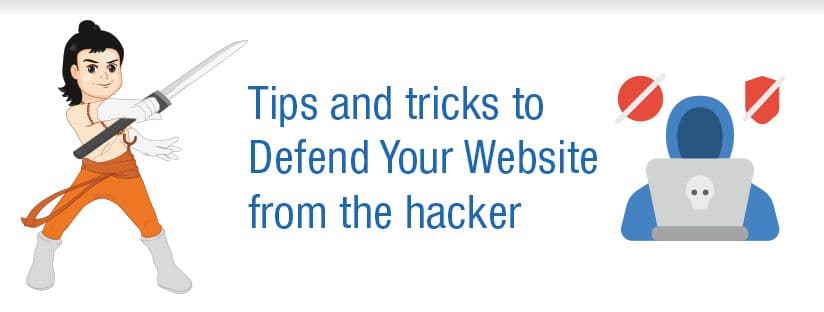
Tips and tricks to Defend Your Website from the hacker

Ankita V Kurup

  • 4 min read
Tips and tricks to Defend Your Website from the hacker

Generating audio, please wait...

We always have to take the necessary precautions to keep our websites from hacking attempts. Every passing day we can hear about new hacking techniques which always find a way to break our security system and make our website compromised. So we have to take multiple layers of security measures to keep our websites from vulnerability. Here I am listing some effective security steps to defend the website from hacking.

  •  Keep all software up to date
  •  Use https only
  •  XSS protection
  •  SQL injection protection
  •  Web application firewall
  •  Backup frequently

1. Keep all software up to date

Clearly, we are aware of this. Every software used on the website needs to be up to date. Ensure you have the latest version of the operating system and software as well as the third-party applications if any. Also, make sure to host your website in a well managed hosting company as they will help you in an extent to keep your system updated.

2. Use https only

HTTPS (Hyper Text Transfer Protocol Secure) is the secure version of HTTP and the S stands for Secure. Installing https in your website is an excellent way to keep the site from intruders as it helps to encrypt the data and provide a secure data transmission which ensures the inaccessibility from attacks and hackers. This will be very useful if you are submitting any sensitive information to the network like login details or your financial or personal details. Another important use of https is it will improve your search engine rankings and make your website more visible.

3. XSS protection (Cross-site Scripting)

The XSS attack occurs when the hacker changes your site content by injecting a malicious JavaScript. So from a user’s view, the script is coming from the trusted website and by loading it the hackers can find a way to access the login credentials and other sensitive details from the browser itself.

XSS affects the users while browsing the websites and the hackers can steal the user information and pretend like them to perform illegal activities.

4. SQL injection protection

SQL injection or SQL is an attack that is done by passing malicious SQL commands to the server via web server HTTP requests. Usually, login pages and other form pages where user inputs are accepted target for these kinds of attacks. For a completely unprotected website, if someone is to pass a string like ‘ or 1=1 -` as one of the login page credentials, the login page can be completely bypassed.

The best way to protect yourself is by using the code itself, you can validate the user inputs before using them to fetch data from the database. Make sure you use strong passwords and strong hashing algorithms. Keep all sensitive data encrypted, so in case of any breach, those data are not compromised. Also, make use of, access control, don’t give extra privileges to any database user if they are not needed.

5. Web application firewall

Web application firewall or WAP is for examining http applications and filter or block the data as they travel between web applications. It can prevent the cross-site scripting (XSS), SQL injection and other attacks caused by security flaws.

6. Frequent backups

It is very important to keep backups of your website on a regular basis as it will save you if you end up losing your original data by any means. We should store the copy of data, content and files in multiple locations as it will be very useful, even if the hackers stole your data or modify the content as we have a ready backup in our system to restore the original content.

Let’s say that hackers never discriminate a small or large website. We always think there is nothing to worry as there is no important data on our website which is worth stealing.  But the hackers have many other motives to hack a website other than just stealing the data. Hence we should be proactive and ensure our website security in a well manner.


Server Hacked? Don’t Worry, Sages are here to take care your issues.

Click here to know more about our Server Forensics and Hack recovery Plan. 
 

  • Linux

Looking for AWS Experts?

We provide top-of-the-line custom AWS setup services tailored to your needs.

How to renew cPanel License

How to renew cPanel License
  • cPanel
  • Linux
logo

How to update Awstats automatically

How to update Awstats  automatically
  • cPanel
  • Linux
logo

Steps to install Softaculous on cPanel server

Steps to install Softaculous on cPanel server
  • cPanel
  • Howtos
  • Linux
  • Softaculous
logo

Technical Support Outsourcing – How to choose the right provider for your business? 

Technical Support Outsourcing – How to choose the right provider for your business? 
  • Customer Care
  • outsourcing
logo
Tips and tricks to Defend Your Website from the hacker

Posts by Ankita V Kurup

Ankita started her career in the field of Linux System Administration since 2016. She has the ability to build productive relationships, resolve complex issues and win customer loyalty. She loves reading and travelling.