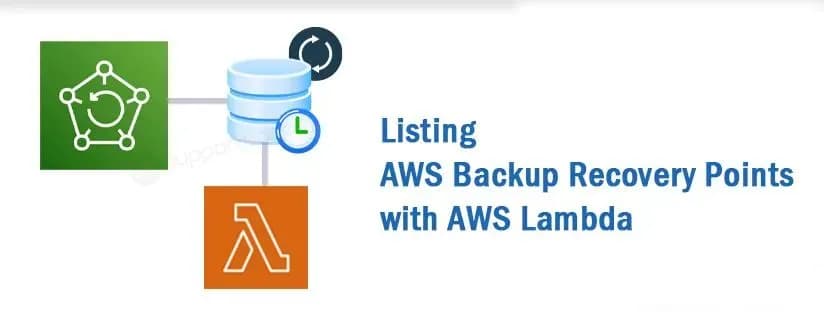
AWS Lambda is a powerful serverless computing service that lets you run your code without provisioning or managing servers. In this blog post, we’ll explore how to use AWS Lambda to list and filter AWS Backup recovery points older than a specified number of days.
Introduction
AWS Backup is a fully managed backup service that makes it easy to centralize and automate the backup of data across AWS services. Sometimes, it’s necessary to identify and manage recovery points that are older than a certain threshold. AWS Lambda provides a convenient way to achieve this through code execution in response to events.
Getting Started
First, let’s create a simple Lambda function using Python and the AWS SDK for Python (Boto3). This function will use the AWS Backup client to list recovery points older than a specified number of days.
import boto3
import os
from datetime import datetime, timedelta, timezone

def lambda_handler(event, context):
# Initialize AWS Backup client
backup_client = boto3.client('backup')

# Retrieve the number of days from environment variables
days = int(os.environ['day'])
print("day", days)

# List all backup vaults
response = backup_client.list_backup_vaults()
print(response)

# Process the list of backup vaults
backup_vaults = response['BackupVaultList']

# Calculate the date n days ago as an aware datetime object
n_days_ago = datetime.now(timezone.utc) - timedelta(days=days)

# Iterate over each backup vault and list recovery points
for vault in backup_vaults:
vault_name = vault['BackupVaultName']
print(f"Listing recovery points older than {days} days for vault: {vault_name}")

# List recovery points for the current vault
response = backup_client.list_recovery_points_by_backup_vault(
BackupVaultName=vault_name
)

# Process the list of recovery points
recovery_points = response['RecoveryPoints']

# Filter recovery points older than n days
older_than_n_days = [
rp for rp in recovery_points
if rp['CreationDate'].replace(tzinfo=timezone.utc) < n_days_ago
]

# Print recovery point information for older than n days
for recovery_point in older_than_n_days:
print(f"Recovery Point Arn: {recovery_point['RecoveryPointArn']}")
print(f"Resource Arn: {recovery_point['ResourceArn']}")
print(f"Creation Date: {recovery_point['CreationDate']}")

return {
'statusCode': 200,
'body': f'Recovery points older than {days} days listed successfully.'
}
Explanation
- AWS Backup Client: We use the Boto3 library to create an AWS Backup client, allowing us to interact with AWS Backup services.
- List Backup Vaults: We start by listing all the backup vaults associated with the AWS account.
- Calculate Date Threshold: We calculate the date n days ago to serve as a threshold for identifying older recovery points.
- List Recovery Points: For each backup vault, we list all recovery points associated with it.
- Filter Old Recovery Points: We filter recovery points older than the specified number of days using a list comprehension.
- Print Information: We print information about each older recovery point, including its ARN, resource ARN, and creation date.
Deploying the Lambda Function
- Create a new Lambda function in the AWS Lambda Console.
- Upload Lambda function code.
- Configure environment variables, e.g., set
dayto the desired number of days for filtering.
Conclusion
In this blog post, we’ve explored how to use AWS Lambda to list and filter AWS Backup recovery points based on their creation date. This can be useful for managing backups and ensuring that your data retention policies are in place. Feel free to customize the code according to your specific requirements and integrate it into your serverless workflows.
Explore how AWS Lambda simplifies the management of AWS Backup recovery points. Follow our guide to efficiently filter and list older recovery points based on creation dates. Ensure your data retention policies integrate smoothly. Enhance your AWS experience now!