Introduction:
Sometimes clients open tickets saying their website has changed or the website redirects to something else. This means their website files got corrupted. If this is the case, we need to duplicate the same issue from our side by accessing the website and confirming the files are corrupted. In most cases, we can see the corrupted code with our bare eyes. In this blog, I am trying to solve such an issue that happened to a client.
Step 1: First login to the document root of the account and look at the index page and .htaccess file. In this case, the index page was corrupted and we could see it with our bare eyes. If it is not an index page then we can check other pages like wp-login.php etc. As a first step change the file name of .htaccess with something else.
Step 2: Once confirmed we need to replace the WordPress core files from the official WordPress repo. For that, we need to confirm the WordPress version running on the website. It can be get from the version.php file under wp-includes or simply by typing the command:
| #grep wp_version wp-includes/version.php |
|---|
Which will show the WordPress version. Here it was '6.1.1'

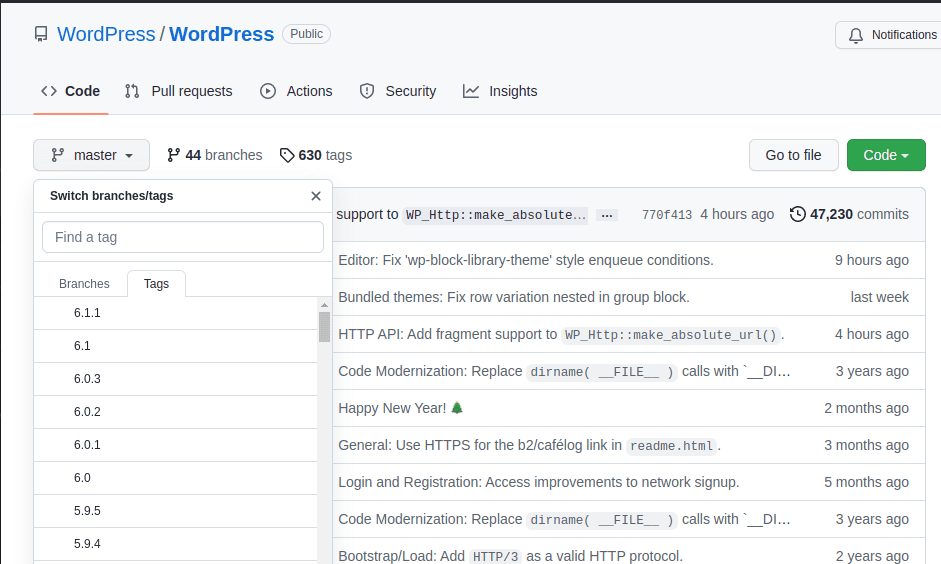
Step 3: Now we need to clone the WordPress version '6.1.1' files from the git https://github.com/WordPress/WordPress where under master click on the tags and select the appropriate WordPress version.
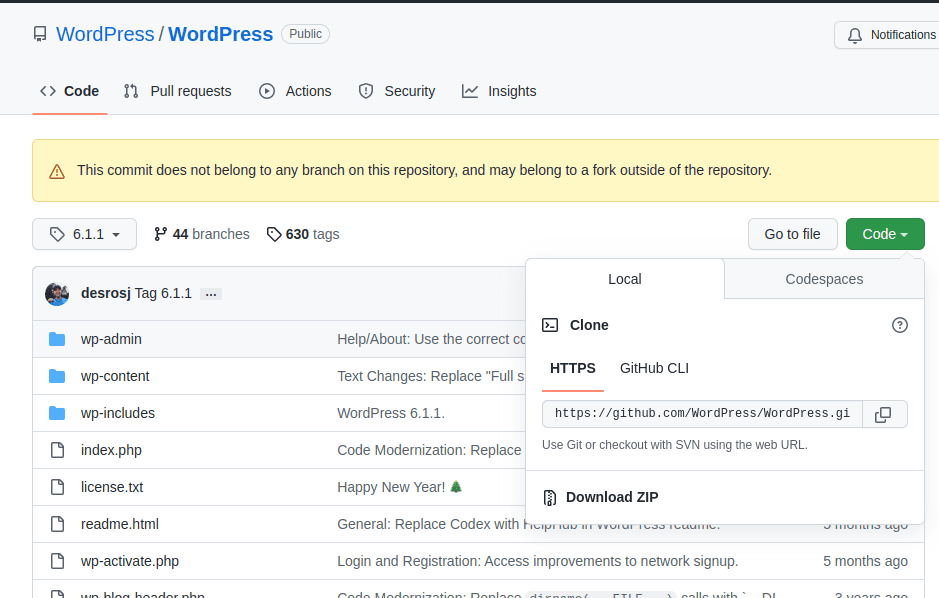
Step 4: Next we need to clone the WordPress directory to the document root of the website. For that run the command #git clone -b tag git_link directory_name
| #git clone -b 6.1.1 https://github.com/WordPress/WordPress.git wp |
|---|
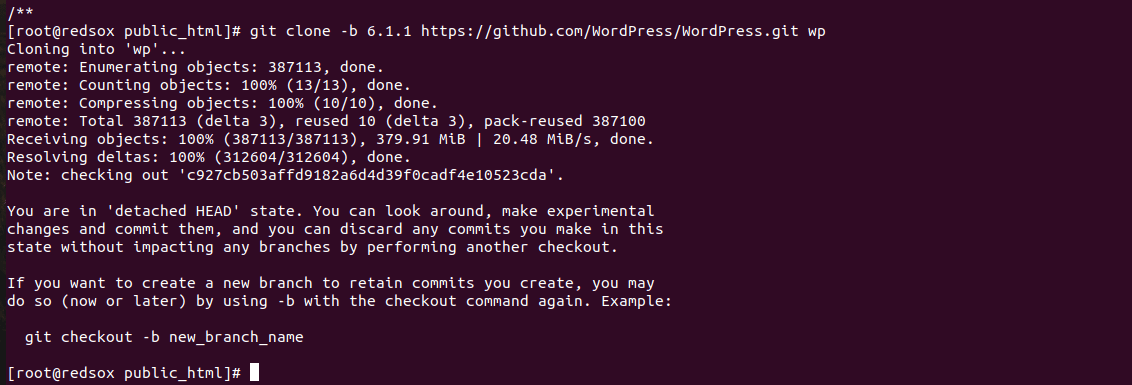
Step 5: Now if you list the files you could see the wp folder with WordPress files in it. So we need to replace the files in this directory with the existing website files. This step is very important because we can't just replace the files. The website contents are present in wp-content and the configuration file is wp-config.php. These files are important for the website and we can't replace the files which will break the website. So we use rsync command utility and the --exclude option to exclude the files and directories and replace other files.
First, run a dry run and see the result. Run the command in the document root of the website:
| #rsync -av --dry-run --exclude wp-content --exclude wp-config.php wp/ . |
|---|
This will exclude the wp-content directory and wp-config.php.
-a - for archive
-v - for verbosity
--dry-run - perform a trial run with no changes made
--exclude - for excluding the directory/file
Step 6: After confirming remove the --dry-run option
| #rsync -av --exclude wp-content --exclude wp-config.php wp/ . |
|---|
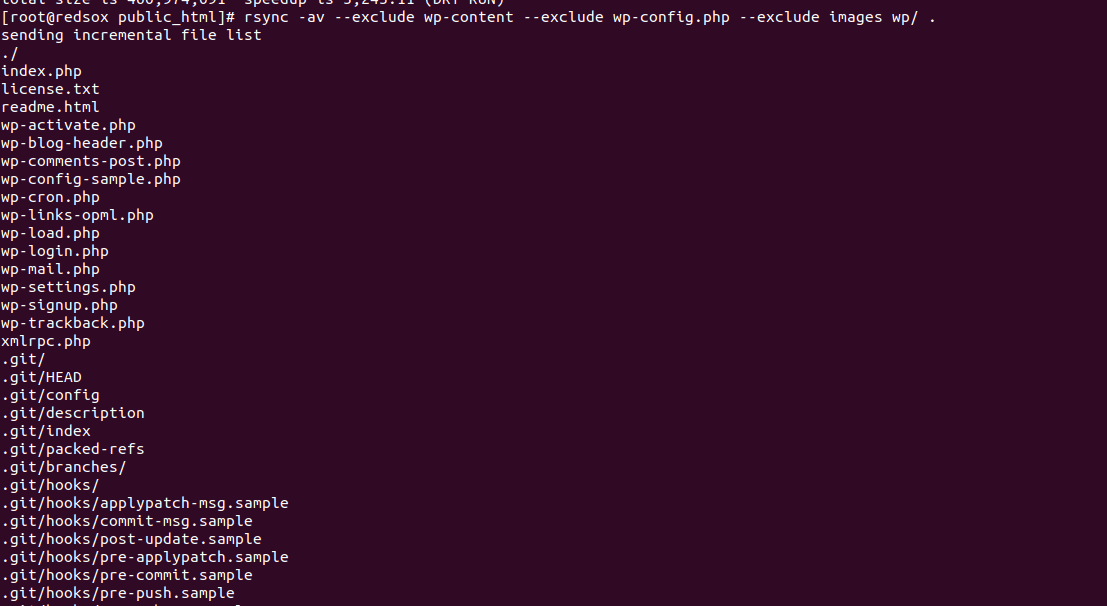
Step 7: Then put a new .htacess file and change the ownership of the files in the public_html
| #chown -R username:username public_html/ |
|---|
Step 8: Now check the website. If the website still redirects then the database may also got corrupted and they need to work with their developer to sort out the problem.
Conclusion:
There are several reasons why WordPress files may become corrupted, including malware infections, Plugin or theme conflicts, Improper updates, and File permissions issues. It's important to regularly monitor and maintain website files to prevent corruption and ensure website functionality and security. This can include using reputable security plugins, performing regular backups, and regularly updating WordPress core, plugins, and themes. In this blog, I tried to resolve such an issue by replacing the WordPress core files.