• DevOps
    Case Study

    How we built a resilient multi-account, multi-cloud solution for a Health Tech service provider!

    READ CASESTUDY
    icon

    24/7 DevOps as a Service

    Round-the-clock DevOps for uninterrupted efficiency.

    icon

    Infrastructure as a Code

    Crafting infrastructure with ingenious code.

    icon

    CI/CD Pipeline

    Automated CI/CD pipeline for seamless deployments.

    icon

    DevSecOps

    Integrated security in continuous DevOps practices.

    icon

    Hire DevOps Engineers

    Level up your team with DevOps visionaries.

    icon

    Consulting Services

    Navigate success with expert DevOps consulting.

  • TechOps
    Case Study

    How we built a scalable Odoo solution for a Travel Tech service provider!

    READ CASESTUDY

    WEB HOSTING SUPPORT

    icon

    HelpDesk Support

    Highly skilled 24/7 HelpDesk Support

    icon

    Product Support

    Boost your product support with our expertise.

    MANAGED SERVICES

    icon

    Server Management

    Don’t let server issues slow you down. Let us manage them for you.

    icon

    Server Monitoring

    Safeguard your server health with our comprehensive monitoring solutions.

    STAFF AUGMENTATION

    icon

    Hire an Admin

    Transform your business operations with our expert administrative support.

    icon

    Hire a Team

    Augment your workforce with highly skilled professionals from our diverse talent pool.

  • CloudOps
    Case Study

    How we helped a Private Deemed University in India, save US $3500/m on hosting charges!

    READ CASESTUDY
    icon

    AWS Well Architected Review

    Round-the-clock for uninterrupted efficiency

    icon

    Optimize

    Efficient CloudOps mastery for seamless cloud management

    icon

    Manage

    Automated CI/CD pipeline for seamless deployments

    icon

    Migrate

    Upgrade the journey, Migrate & Modernize seamlessly

    icon

    Modernize

    Simplify compliance complexities with our dedicated services

    icon

    FinOps as a Service

    FinOps as a Service

  • SecOps
    Case Study

    How we built a scalable Odoo solution for TravelTech service provider!

    READ CASESTUDY
    icon

    VAPT

    Vulnerability Assessment and Penetration Testing

    icon

    Source Code Review

    Ensuring source code security ans safe practices to reduce risks

    icon

    Security Consultation

    On demand services for improving server security

    icon

    System Hardening

    Reduced vulnerability and proactive protection

    icon

    Managed SoC

    Monitors and maintains system security. Quick response on incidents.

    icon

    Compliance as a Service

    Regulatory compliance, reduced risk

  • Insights
    Case Study

    How we helped a Private Deemed University in India, save US $3,500/m on hosting charges!

    READ CASESTUDY
    icon

    Blog

    Explore our latest articles and insights

    icon

    Case Studies

    Read about our client success stories

    icon

    Flipbook

    Explore our latest Flipbook

    icon

    Events

    Join us at upcoming events and conferences

    icon

    Webinars

    Watch our educational webinar series

  • Our Story
  • Contact Us

Interested to collaborate?

Get in touch with us!

Ready to elevate your business with certified cloud expertise? Contact us today to learn how our team can help you leverage cloud technology to drive growth, streamline operations, and enhance security.

  • AWSAWS
  • Azure CloudAzure Cloud
  • Google CloudGoogle Cloud
  • Akamai CloudAkamai Cloud
  • OVHOVH
  • Digital OceanDigital Ocean
  • HetznerHetzner
  • Kubernetes Consultancy Services
  • K8s & Cloud native Solutions
  • 24/7 Infrastructure Monitoring
  • DevOps as a Service
  • Cloud CI/CD Solutions
  • White Labeled MSP Support
  • Our story
  • Life@SupportSages
  • Insights
  • Careers
  • Events
  • Contact Us

Connect with us!


LinkedInFacebookXInstagramYouTube

aws partneraws advanced partner
SupportSages

Copyright © 2008 – 2026 SupportSages Pvt Ltd. All Rights Reserved.
Privacy PolicyLegal TermsData ProtectionCookie Policy

cPanel Website Transfer – Part 2 – cPanel to cPanel Migration

Vipin R.N

  • 4 min read
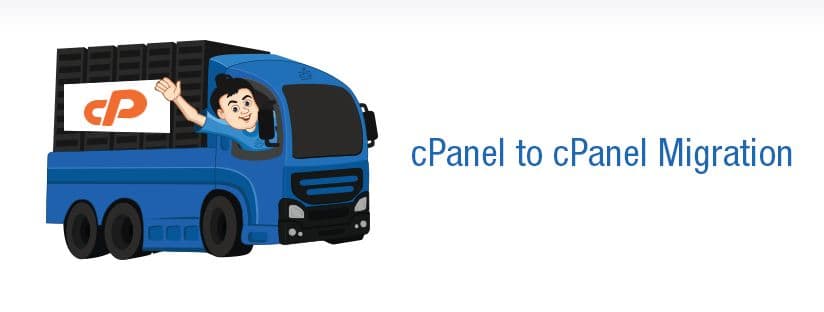
cPanel Website Transfer – Part 2 – cPanel to cPanel Migration

Generating audio, please wait...

cPanel Migration

Transferring a Website from One cPanel server to another

Skill Level : Beginner

In this post, I will explain how to transfer a website from one cPanel server to other.

Pre Requisites

Server Platform : Linux

User requires     : cPanel and SSH access (root) to at-least the Destination server (where the account is restoring)

The Process

The first step in cPanel migration is, from the Target server, Generate a Full cPanel backup of the account using either cPanel or through root shell access.

(i) By cPanel

Login to cPanel. Go to Files -> Backups

Click “Download or Generate a Full Website Backup”. Choose Backup Destination as “Home Directory” (Make sure you’ve enough Disk Space before you proceed) and a valid E-mail address to notify you once the Backup is generated.

Once the Backup is completed, a mail will arrive on the E-mail you’ve mentioned above (if specified) and the ‘Backups Available for Download’ will be populated with the name of the backup file generated like :

Do you know why the backup generated is the form tar.gz ? Its because, in the tar format all files are preserved with their appropriate permissions and then its compressed to gz (gzip) for obtaining the least possible file size.

The process in the Target server is finished. Now login as Root in the server which requires the account to be restored. We’ve to download the backup file generated there to this server. There are number of ways to do this. Some are weird 🙂

Method 1

If you have the cPanel details of that server, you can use it for FTP access. And since the Backup is generated on the Home directory there, its all about downloading the backup.

# root@server [/home]# ftp oldserver.com or IP

Connected to oldserver.com.
220———- Welcome to Pure-FTPd [privsep] [TLS] ———-
220-You are user number 3 of 50 allowed.
220-Local time is now 17:28. Server port: 21.
220-IPv6 connections are also welcome on this server.
220 You will be disconnected after 15 minutes of inactivity.
Name (oldserver.com:root): user
331 User user OK. Password required
Password:
230 OK. Current restricted directory is /
Remote system type is UNIX.
Using binary mode to transfer files.
ftp> get backup-6.2.2011_06-23-57_account.tar.gz

This will download the backup. You need root access to restore it. Before you restore you need to check whether there is an account or domain which already exists by the name which you intend to restore.

cPanel script to check whether the domain/account name exists

# grep account /etc/userdomains

Method 2

Generating a cPanel backup through Remote FTP (Passive Mode transfer)

It is possible to generate a Remote backup of the account in a server, where the backup has to be restored. Go to cPanel -> Backups -> Download or Generate a Full website backup. Select the Backup Destination as Remote FTP Server (passive mode transfer). Follow the screenshot :

cPanel script to restore the account

# nice -n 19 /scripts/restorepkg –skipres <username>

For the script to run, the backup should be in any of the following locations in the server :  /, /home, /home2, /home3, /misc, /net, /root, /usr, /usr/home, /var/lib/nfs/rpc_pipefs, /var/tmp, /web

This feature will restore full backups, cPanel backups and cPanel move files in one of the following formats:

cpmove-{USER}
cpmove-{USER}.tar
cpmove-{USER}.tar.gz
USER.tar
USER.tar.gz
backup-{BACKUP-DATE_TIME}_{USER}.tar
backup-{BACKUP-DATE_TIME}_{USER}.tar.gz
  • cPanel
  • General
  • Howtos
  • Linux
  • Training
  • Troubleshooting

Looking for AWS Experts?

We provide top-of-the-line custom AWS setup services tailored to your needs.

cPanel Website Transfer – Part 2 – cPanel to cPanel Migration

“Suspended Page ” defaced in cPanel Server

“Suspended Page ” defaced in cPanel Server
  • cPanel
  • Linux
  • Troubleshooting
logo

APC Cache Activation and disable XCache

APC Cache Activation and disable XCache
  • Apache
  • cPanel
  • Linux
logo

Blacklisted ? Switch your Mail Server IP

Blacklisted ? Switch your Mail Server IP
  • cPanel
  • Linux
  • Webmail
logo

Chapter 12 All about a process running in linux

Chapter 12 All about a process running in linux
  • General
  • Howtos
  • Linux
  • Special Offers
  • Training
  • Troubleshooting
logo

Posts by Vipin R.N

Vipin is a no-nonsense, disciplined guy who ensures that everything is carried out with the highest level of perfection. Apart from his great coding skills, he is quite interested in advanced server administration, issue analysis, documentation and training. In-depth knowledge in international politics, ammunition and automobiles makes this hard core Manchester United fan, one of the most referenced personalities in the entire team.