• DevOps
    Case Study

    How we built a resilient multi-account, multi-cloud solution for a Health Tech service provider!

    READ CASESTUDY
    icon

    24/7 DevOps as a Service

    Round-the-clock DevOps for uninterrupted efficiency.

    icon

    Infrastructure as a Code

    Crafting infrastructure with ingenious code.

    icon

    CI/CD Pipeline

    Automated CI/CD pipeline for seamless deployments.

    icon

    DevSecOps

    Integrated security in continuous DevOps practices.

    icon

    Hire DevOps Engineers

    Level up your team with DevOps visionaries.

    icon

    Consulting Services

    Navigate success with expert DevOps consulting.

  • TechOps
    Case Study

    How we built a scalable Odoo solution for a Travel Tech service provider!

    READ CASESTUDY

    WEB HOSTING SUPPORT

    icon

    HelpDesk Support

    Highly skilled 24/7 HelpDesk Support

    icon

    Product Support

    Boost your product support with our expertise.

    MANAGED SERVICES

    icon

    Server Management

    Don’t let server issues slow you down. Let us manage them for you.

    icon

    Server Monitoring

    Safeguard your server health with our comprehensive monitoring solutions.

    STAFF AUGMENTATION

    icon

    Hire an Admin

    Transform your business operations with our expert administrative support.

    icon

    Hire a Team

    Augment your workforce with highly skilled professionals from our diverse talent pool.

  • CloudOps
    Case Study

    How we helped a Private Deemed University in India, save US $3500/m on hosting charges!

    READ CASESTUDY
    icon

    AWS Well Architected Review

    Round-the-clock for uninterrupted efficiency

    icon

    Optimize

    Efficient CloudOps mastery for seamless cloud management

    icon

    Manage

    Automated CI/CD pipeline for seamless deployments

    icon

    Migrate

    Upgrade the journey, Migrate & Modernize seamlessly

    icon

    Modernize

    Simplify compliance complexities with our dedicated services

    icon

    FinOps as a Service

    FinOps as a Service

  • SecOps
    Case Study

    How we built a scalable Odoo solution for TravelTech service provider!

    READ CASESTUDY
    icon

    VAPT

    Vulnerability Assessment and Penetration Testing

    icon

    Source Code Review

    Ensuring source code security ans safe practices to reduce risks

    icon

    Security Consultation

    On demand services for improving server security

    icon

    System Hardening

    Reduced vulnerability and proactive protection

    icon

    Managed SoC

    Monitors and maintains system security. Quick response on incidents.

    icon

    Compliance as a Service

    Regulatory compliance, reduced risk

  • Insights
    Case Study

    How we helped a Private Deemed University in India, save US $3,500/m on hosting charges!

    READ CASESTUDY
    icon

    Blog

    Explore our latest articles and insights

    icon

    Case Studies

    Read about our client success stories

    icon

    Flipbook

    Explore our latest Flipbook

    icon

    Events

    Join us at upcoming events and conferences

    icon

    Webinars

    Watch our educational webinar series

  • Our Story
  • Contact Us

Interested to collaborate?

Get in touch with us!

Ready to elevate your business with certified cloud expertise? Contact us today to learn how our team can help you leverage cloud technology to drive growth, streamline operations, and enhance security.

  • AWSAWS
  • Azure CloudAzure Cloud
  • Google CloudGoogle Cloud
  • Akamai CloudAkamai Cloud
  • OVHOVH
  • Digital OceanDigital Ocean
  • HetznerHetzner
  • Kubernetes Consultancy Services
  • K8s & Cloud native Solutions
  • 24/7 Infrastructure Monitoring
  • DevOps as a Service
  • Cloud CI/CD Solutions
  • White Labeled MSP Support
  • Our story
  • Life@SupportSages
  • Insights
  • Careers
  • Events
  • Contact Us

Connect with us!


LinkedInFacebookXInstagramYouTube

aws partneraws advanced partner
SupportSages

Copyright © 2008 – 2026 SupportSages Pvt Ltd. All Rights Reserved.
Privacy PolicyLegal TermsData ProtectionCookie Policy
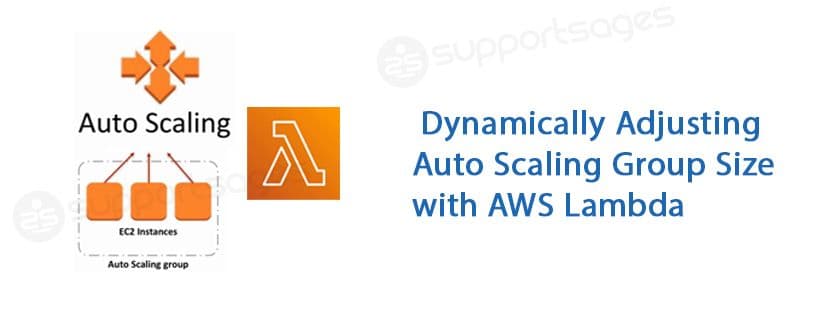
Dynamically Adjusting Auto Scaling Group Size with AWS Lambda

Dynamically Adjusting Auto Scaling Group Size with AWS Lambda

Arya P B

  • 3 min read
Dynamically Adjusting Auto Scaling Group Size with AWS Lambda

Generating audio, please wait...

In dynamic cloud environments, applications often require scaling to handle varying workloads. AWS Auto Scaling groups are a powerful tool for this purpose, automatically adjusting the number of instances to maintain performance. However, there are times when you might need to manually adjust the size of your Auto Scaling group. This blog post will guide you through the process of creating an AWS Lambda function to increase or decrease the minimum size of an Auto Scaling group on demand.

Prerequisites

Before we dive into the implementation, ensure you have the following:

  1. AWS Account: You need an AWS account to access AWS services.
  2. IAM Role for Lambda: Create an IAM role with the necessary permissions for AWS Lambda to interact with Auto Scaling groups.
  3. Auto Scaling Group: An existing Auto Scaling group that you want to manage.

Lambda Function

First, set up an environment variable ASG_NAME which holds the ID of your ‘Autoscaling group’ distribution. This can be done in the Lambda console under the "Configuration" tab or through the AWS CLI.

Here’s the complete code for the Lambda function that adjusts the minimum size of your Auto Scaling group based on the input action (increase or decrease).

import boto3

def lambda_handler(event, context):
print(event);
action = event.get('resource', '')
asg_name = os.getenv('ASG_NAME')
autoscaling = boto3.client('autoscaling')

response = autoscaling.describe_auto_scaling_groups(AutoScalingGroupNames=[asg_name])
current_min_size = response['AutoScalingGroups'][0]['MinSize']

if 'increase' in action:
new_min_size = current_min_size + 1
elif 'decrease' in action:
if current_min_size == 1:
return {
'statusCode': 400,
'body': 'Minimum size is already 1 and changing to 0 is not recommended in production workloads'
}
else:
new_min_size = current_min_size - 1
else:
return {
'statusCode': 400,
'body': 'Invalid action. Valid actions are "increase" or "decrease".'
}

response = autoscaling.update_auto_scaling_group(
AutoScalingGroupName=asg_name,
MinSize=new_min_size
)

return {
'statusCode': 200,
'body': f'Successfully updated minimum size to {new_min_size}'

Deploying the Lambda Function

  1. Create a new Lambda function in the AWS Management Console.
  2. Assign the necessary IAM role to your Lambda function. This role should have permissions to describe and update Auto Scaling groups.
  3. Deploy the function code by copying the provided Python script into the Lambda code editor or by uploading a ZIP file.

Integrating with Other AWS Services

integrate this Lambda function with AWS API Gateway. This enables you to trigger the function based on specific events or expose it as an HTTP endpoint. With increase and decrease Routers.
 

  1. Open the API Gateway service in the AWS Management Console.
  2. Click on “Create API” and choose “HTTP API”.
  3. Add a new route for starting the Auto Scaling Group:
  • Resource path: /decrease
  1. Add another route for stopping the Auto Scaling Group:
  • Resource path: /increase
  1. For both routes, set the integration target to your Lambda function.

https://<your-api-id>.execute-api.<region>.amazonaws.com/increase

https://<your-api-id>.execute-api.<region>.amazonaws.com/decrease

Conclusion

By following these steps, you’ve created a Lambda function that can dynamically adjust the minimum size of your Auto Scaling group. This solution provides flexibility in managing your application’s scalability and ensures you can handle varying workloads efficiently. Whether you’re automating scale adjustments or providing manual overrides, this Lambda function is a valuable addition to your AWS toolkit.

Take control of your application’s scalability by implementing this Lambda function today! Follow the steps outlined in the blog to effortlessly adjust your Auto Scaling group’s minimum size on demand and enhance your cloud management capabilities.

  • AWS
  • DevOps

Continue Your Journey With…

DevOps as a Service

DevOps as a Service

Let us do the heavy lifting for you

Promotional banner
Promotional banner

Analyzing AWS IAM Users: Access Key and Password Age

Analyzing AWS IAM Users: Access Key and Password Age
  • DevOps
logo

Analyzing AWS IAM Users: Access Key and Password Age

Analyzing AWS IAM Users: Access Key and Password Age
  • AWS
  • DevOps
logo

Auto-Restart EC2 Instances on Status Check Failure: Quick Setup Guide

Auto-Restart EC2 Instances on Status Check Failure: Quick Setup Guide
  • DevOps
logo

Auto-Restart EC2 Instances on Status Check Failure: Quick Setup Guide

Auto-Restart EC2 Instances on Status Check Failure: Quick Setup Guide
  • AWS
  • DevOps
logo

Posts by Arya P B

Athena