The Challenge
When hosting static websites or using AWS CloudFront for content delivery or hosting static site with S3 and CloudFront, securing access becomes essential, especially when public access isn't required. At SupportSages, we've helped numerous clients implement robust security solutions that maintain performance without incurring unnecessary costs. We design solutions tailored to client needs without compromising security, always opting for the most cost-effective strategies when architecting cloud-based infrastructures.
Traditional authentication methods often require backend services, adding complexity and increasing your cloud spend. As an AWS DevOps competency partner specializing in cloud , we've developed efficient approaches to solve this common challenge.
Our Solution: CloudFront Functions with KeyValueStore
With AWS CloudFront Functions and KeyValueStore (KVS), we implement lightweight, scalable, and cost-effective Basic Authentication directly at the edge. At SupportSages, We carefully design this solution to minimize delay while ensuring strong credential management. By leveraging native AWS services, we avoid the need for additional infrastructure overhead. Our focus is on delivering secure, high-performance solutions tailored to your needs.
In this blog, we'll share how we implements CloudFront Functions and KVS to efficiently secure CloudFront-distributed content, ensuring only authorized users can access your resources.
Why We Choose CloudFront Functions Over Lambda@Edge?
CloudFront Functions is a JavaScript-based execution environment built for lightweight operations such as modifying HTTP headers, URL rewrites, and authentication logic.
The main drawbacks of Lambda@Edge are its higher latency and increased cost compared to CloudFront Functions. Since it runs in AWS regions rather than at CloudFront edge locations, it introduces cold start delays that can impact performance. Additionally, it comes with per-invocation pricing, making it more expensive for high-volume requests. Managing Lambda@Edge is also more complex due to regional deployments, IAM permissions, and logging overhead etc.
Compared to Lambda@Edge, it offers:
- Ultra-low latency: Runs at CloudFront edge locations, minimizing latency
- Significantly Lower Cost: Avoids Lambda@Edge’s per-invocation charges. CloudFront Functions are much cheaper, offering 2,000,000 free invocations per month under the AWS Free Tier.
- Ideal for simple tasks: Perfect for header-based authentication without requiring external services.
- Execution at Viewer Request Stage: Allows authentication before fetching the content from origin.
Why We Leverage AWS CloudFront KeyValue Store
At SupportSages, we prioritize security best practices. Instead of hardcoding credentials in CloudFront Functions, we store them securely using AWS KeyValue Store (KVS). This approach offers several benefits our clients appreciate:
- Enhanced Security: Credentials are not hardcoded in the function code, reducing exposure to security risks
- Easy Updates: Credentials can be updated in KVS without modifying or redeploying the function
- Centralized Management: Multiple CloudFront distributions can access the same credential store
- Scalability: AWS KVS is optimized for high-performance and low-latency data access
Tired of Complex Authentication Solutions? Implementing Basic Authentication with CloudFront Functions
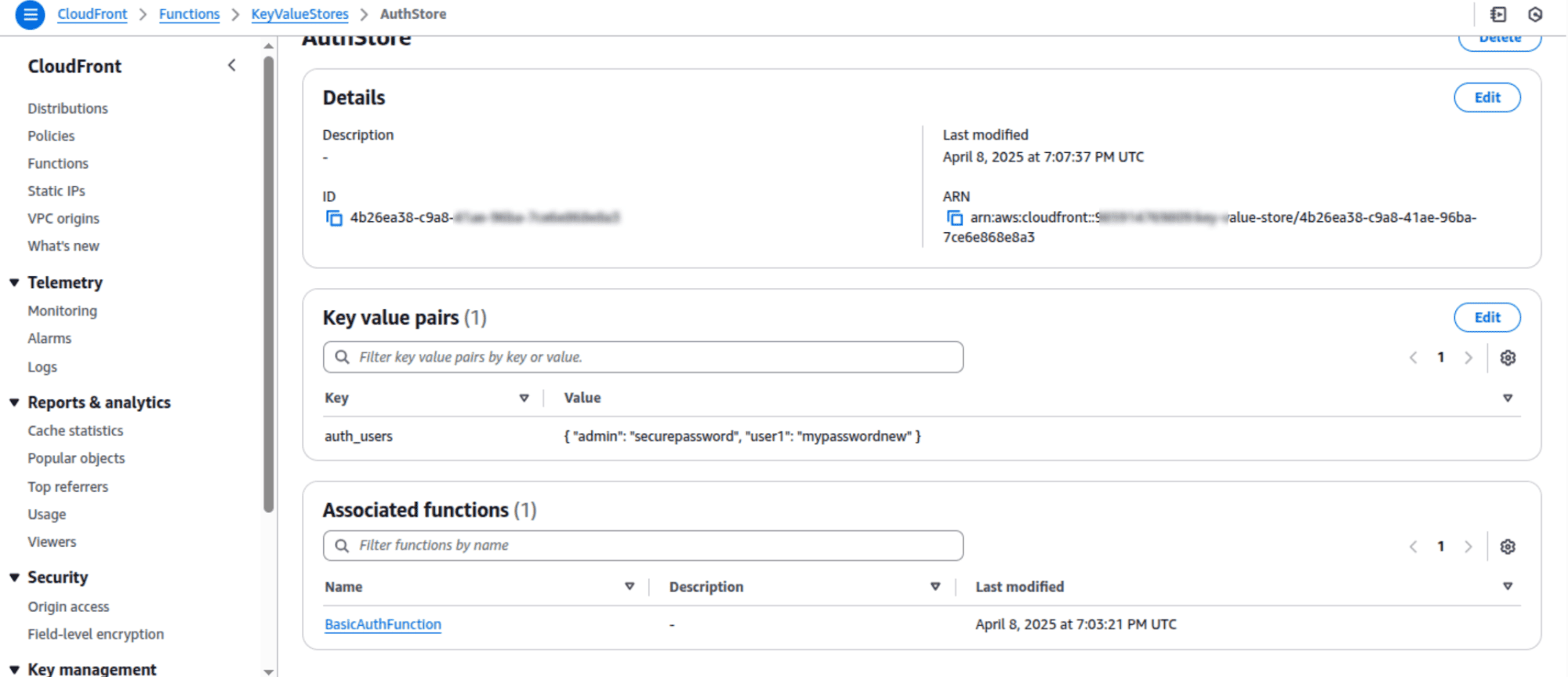
Step 1: Storing Credentials in AWS KeyValue Stores
To store authentication credentials in AWS KVS, follow these steps:
1. Navigate to the Cloudfront in AWS console .[CloudFront >> Function >> KeyValueStores]
2. Create a new KeyValue Store with the name AuthStore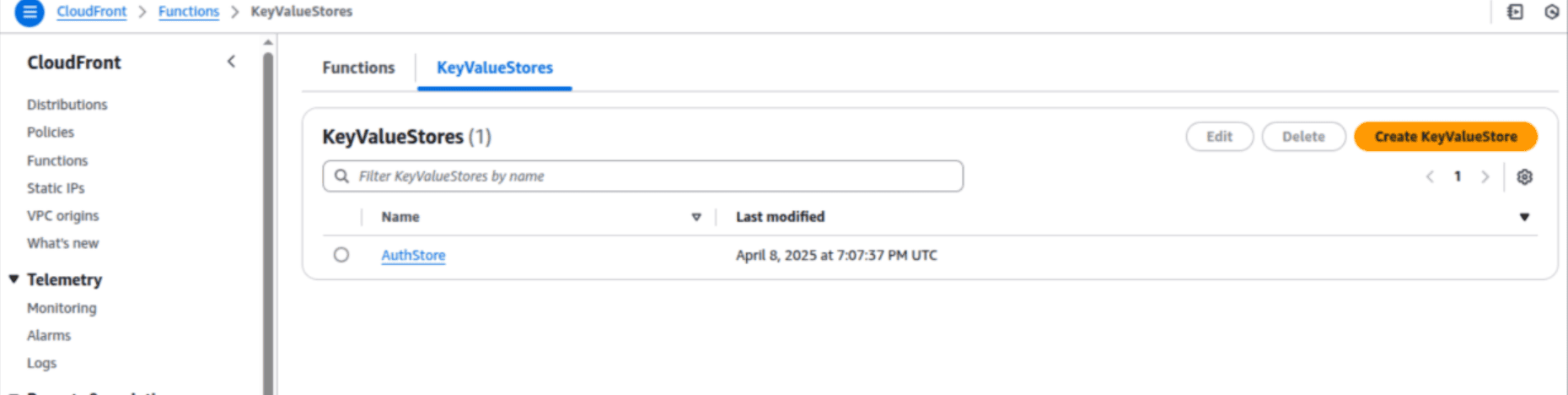
3. Store the credentials in JSON format under a specific key, e.g., auth_users:
{ "user1": "password1", "user2": "password2" }
4. Save and note the KeyValue Store ID, which will need to be updated in the above function code in cloudfornt function.
Step 2: Enable CloudFront Functions
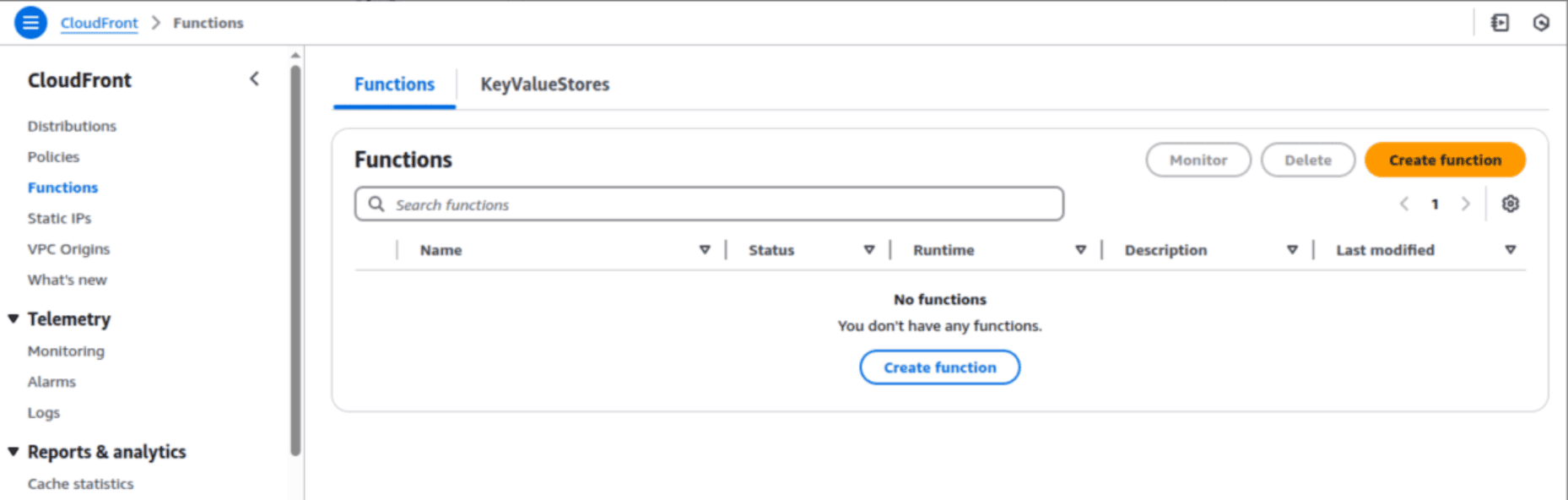
1. Go to AWS CloudFront Console.
2. Navigate to the "Functions" tab and click "Create Function."
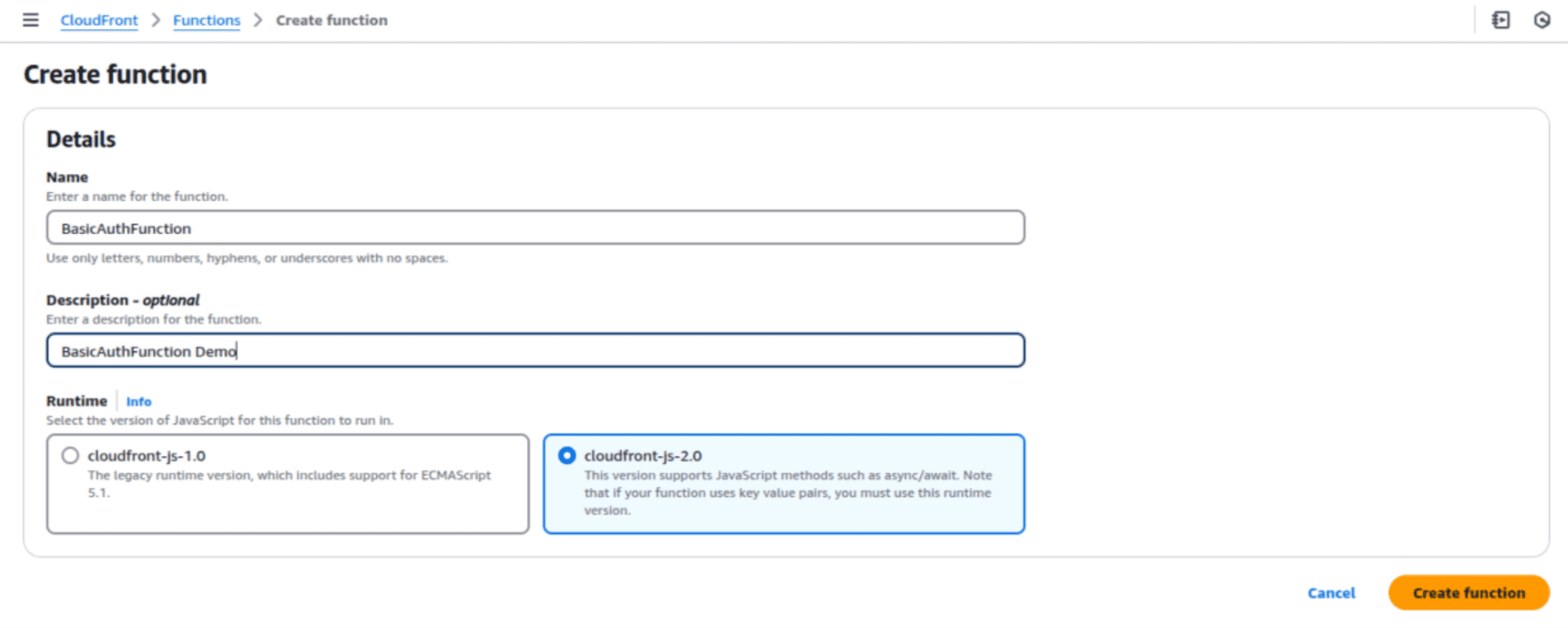
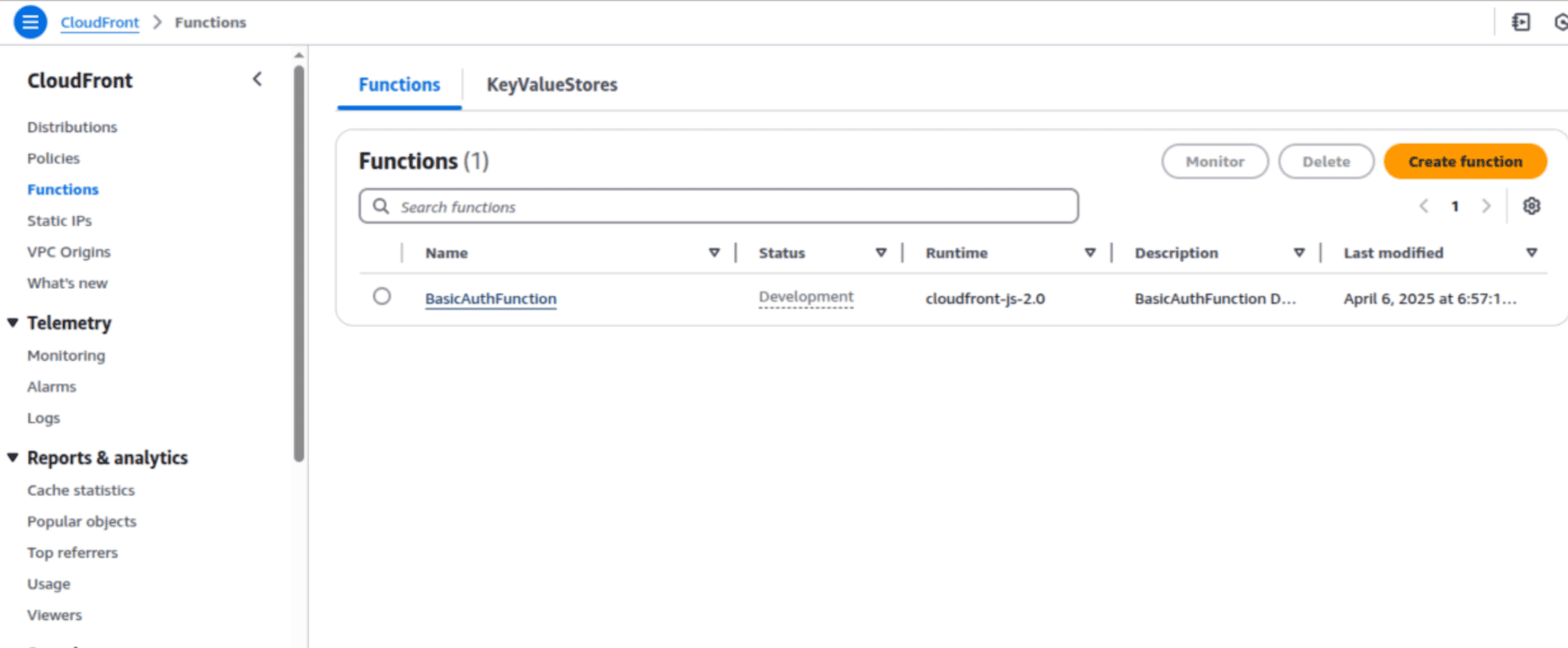
3. Select the function name to access the editor, where you can modify the function code/settings as needed.

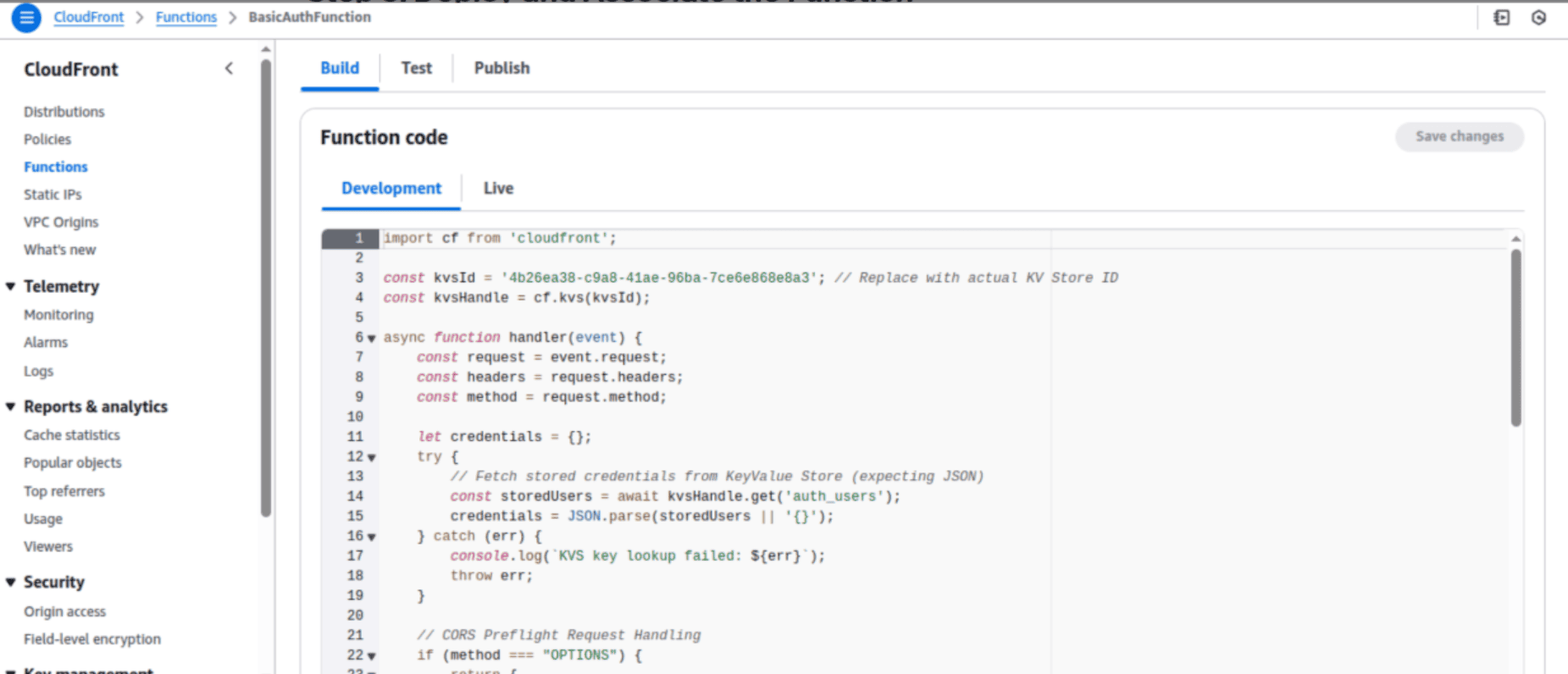
4. CloudFront Function code for basic auth, which retrieves credentials from KeyValue Store dynamically,
import cf from 'cloudfront';

 const kvsId = ' ****************** '; // Replace with actual Key Value Store ID
 const kvsHandle = cf.kvs(kvsId);

 async function handler(event) {
     const request = event.request;
     const headers = request.headers;
     const method = request.method;

     let credentials = {};
     try {
         // Fetch stored credentials from KeyValue Store (expecting JSON)
         const storedUsers = await kvsHandle.get('auth_users');
         credentials = JSON.parse(storedUsers || '{}');
     } catch (err) {
         console.log(`KVS key lookup failed: ${err}`);
         throw err;
     }

     if (method === "OPTIONS") {
         return {
             statusCode: 204,
             statusDescription: "No Content",
             headers: {
                 "access-control-allow-origin": { value: "*" }
             }
         };
     }

     if (!headers.authorization) {
         return unauthorizedResponse();
     }

     const authHeader = headers.authorization.value;

     for (const user in credentials) {
         const expectedAuth = "Basic " + Buffer.from(`${user}:${credentials[user]}`).toString('base64');

         if (authHeader === expectedAuth) {
             return request; // Authenticated successfully
         }
     }

     return unauthorizedResponse();
 }

 function unauthorizedResponse() {
     return {
         statusCode: 401,
         statusDescription: "Unauthorized",
         headers: {
             "www-authenticate": { value: "Basic" }
         }
     };
 }
NOTE: Replace with actual KeyValue Store ID in the above code, like this const kvsId = '<your keyvalue store id>’ the steps for creating the KeyValue store is given below
Step 3: Deploy and Associate the Function
1. Add the above javascript basic auth code in the function Code and save the changes
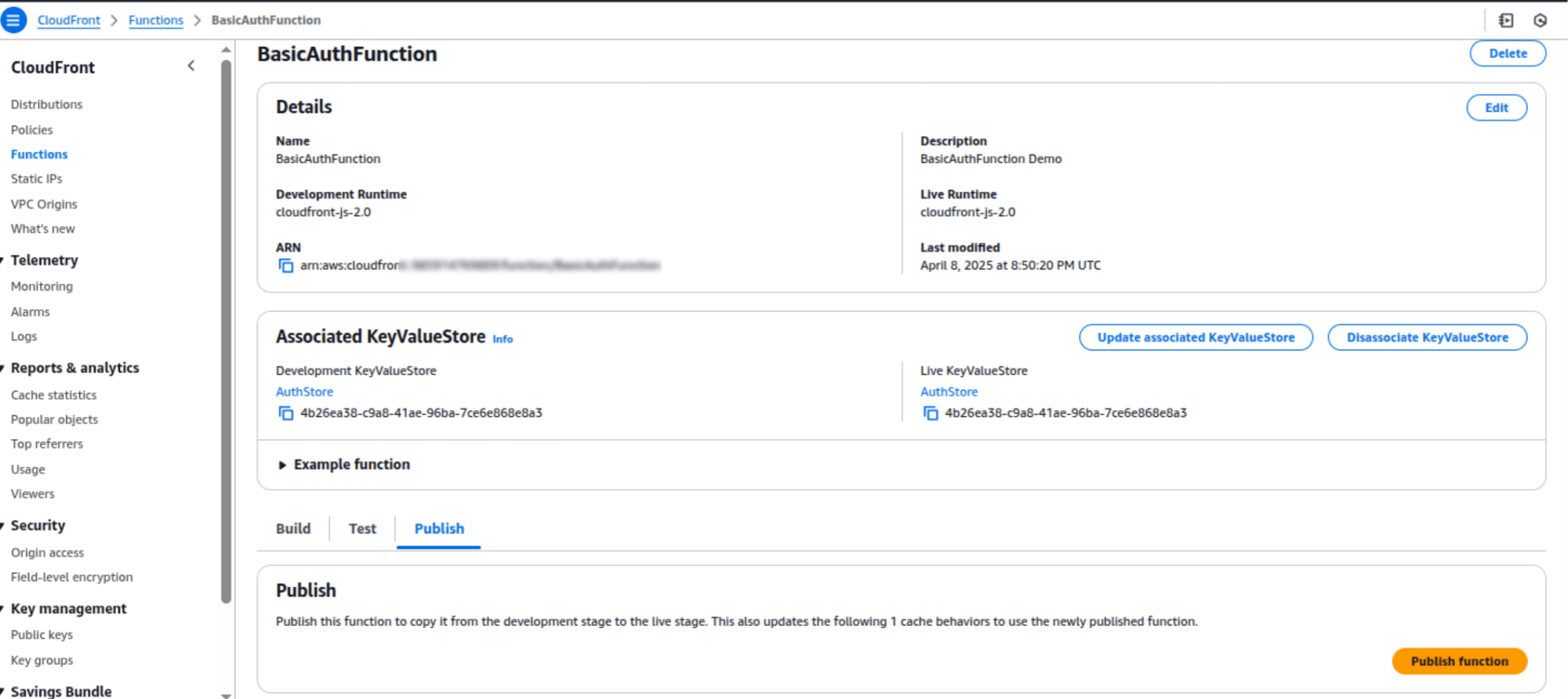
2. You need to associate the KeyValueStore (KVS) with the CloudFront Function to allow it to access stored credentials.
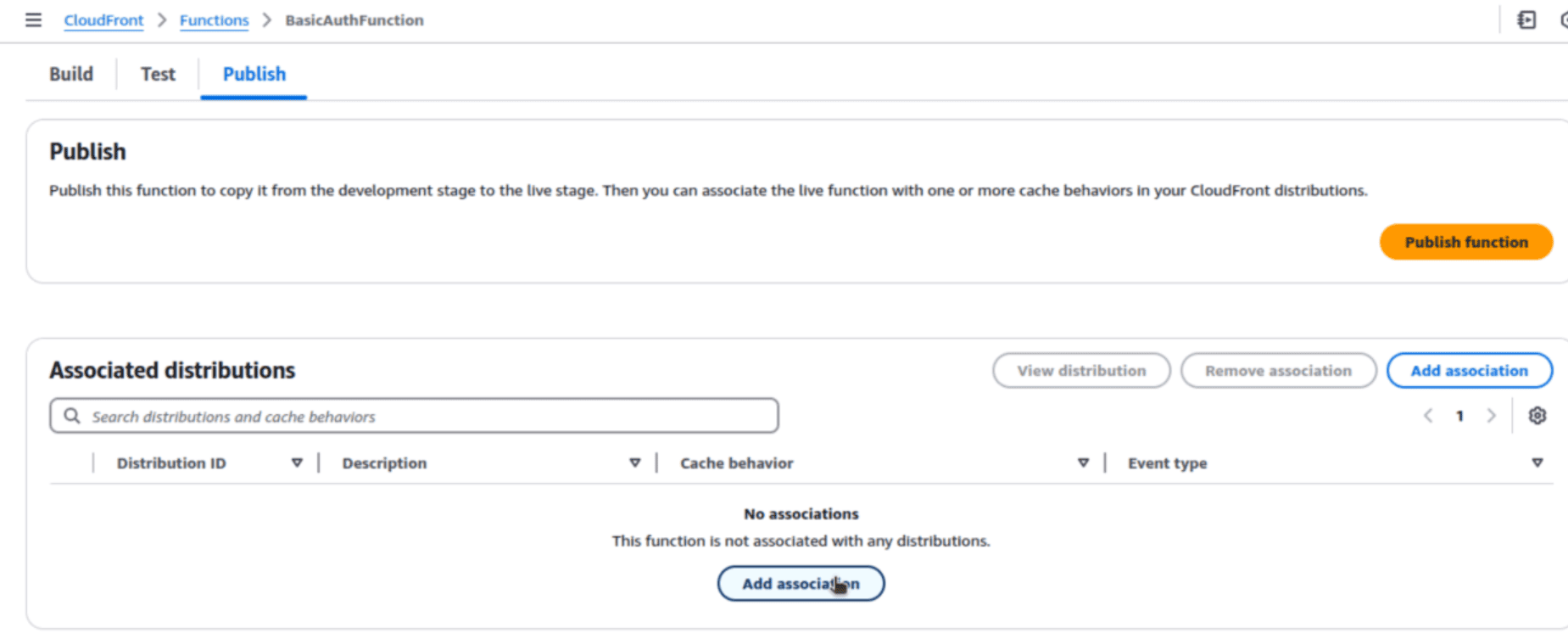
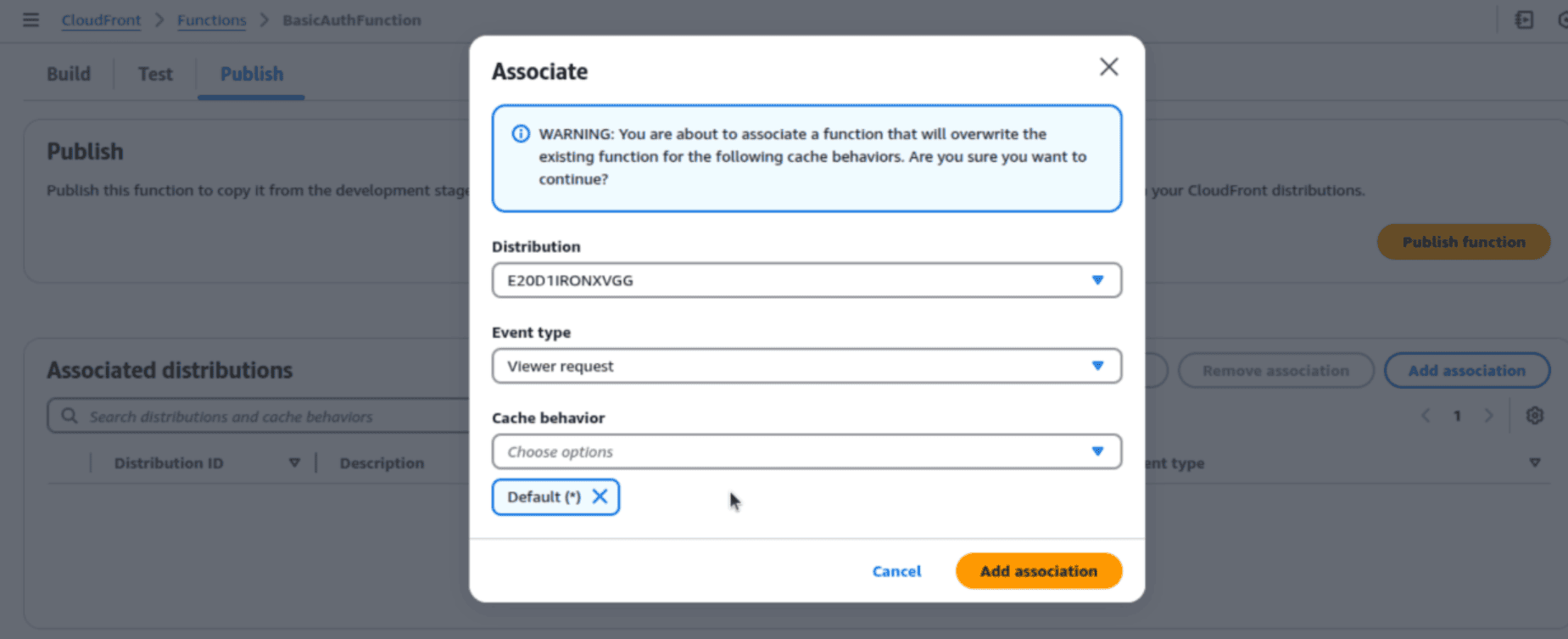
3. Click Add Association to attach this function to a CloudFront distribution.Select “Add Association” to attach this function to a cloudfront distribution , then choose the distribution and select the Event Type and Cache Behavior.
In the Event Type section, you will see two options. Choose the one that best suits your requirements:
- Viewer Request: Executes before CloudFront processes the request.
- Viewer Response: Executes before returning the response to the user.
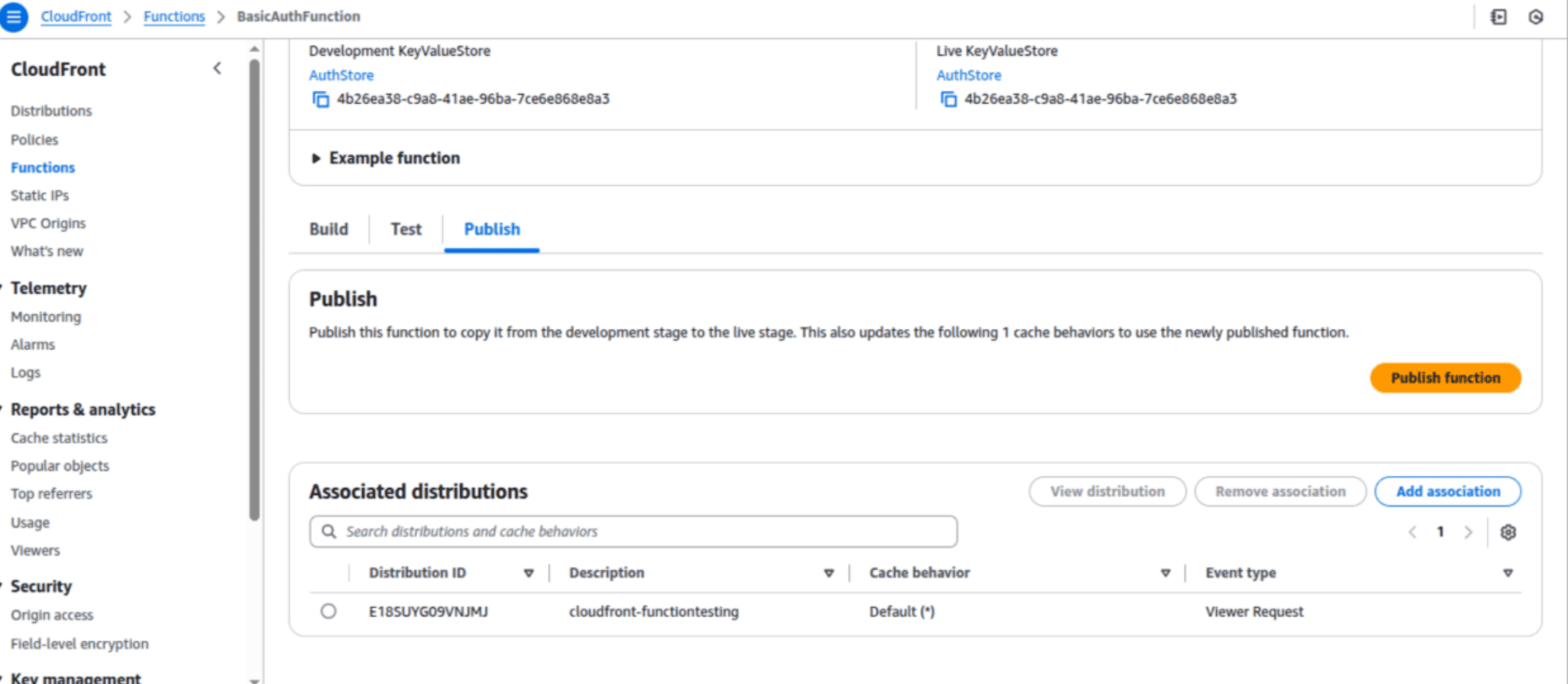
NOTE: You need to publish the function again for the changes to take effect. On the function page, you will see the status as "Updating", and on the CloudFront distribution page, the status will show as "Deploying". Once the deployment is completed, you can proceed to the next steps to test the Basic Authentication.
Step 4: Testing and Validating Authentication
1. Browser Test:
Navigate to your CloudFront URL in the browser, you should see a Basic Auth Prompt.
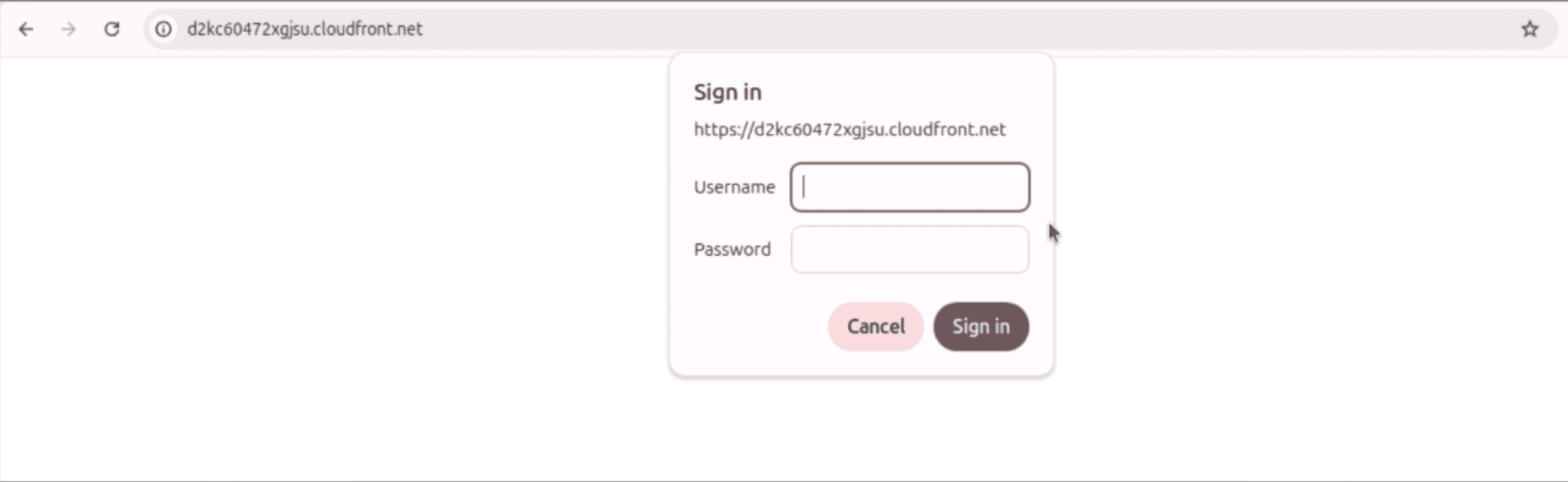
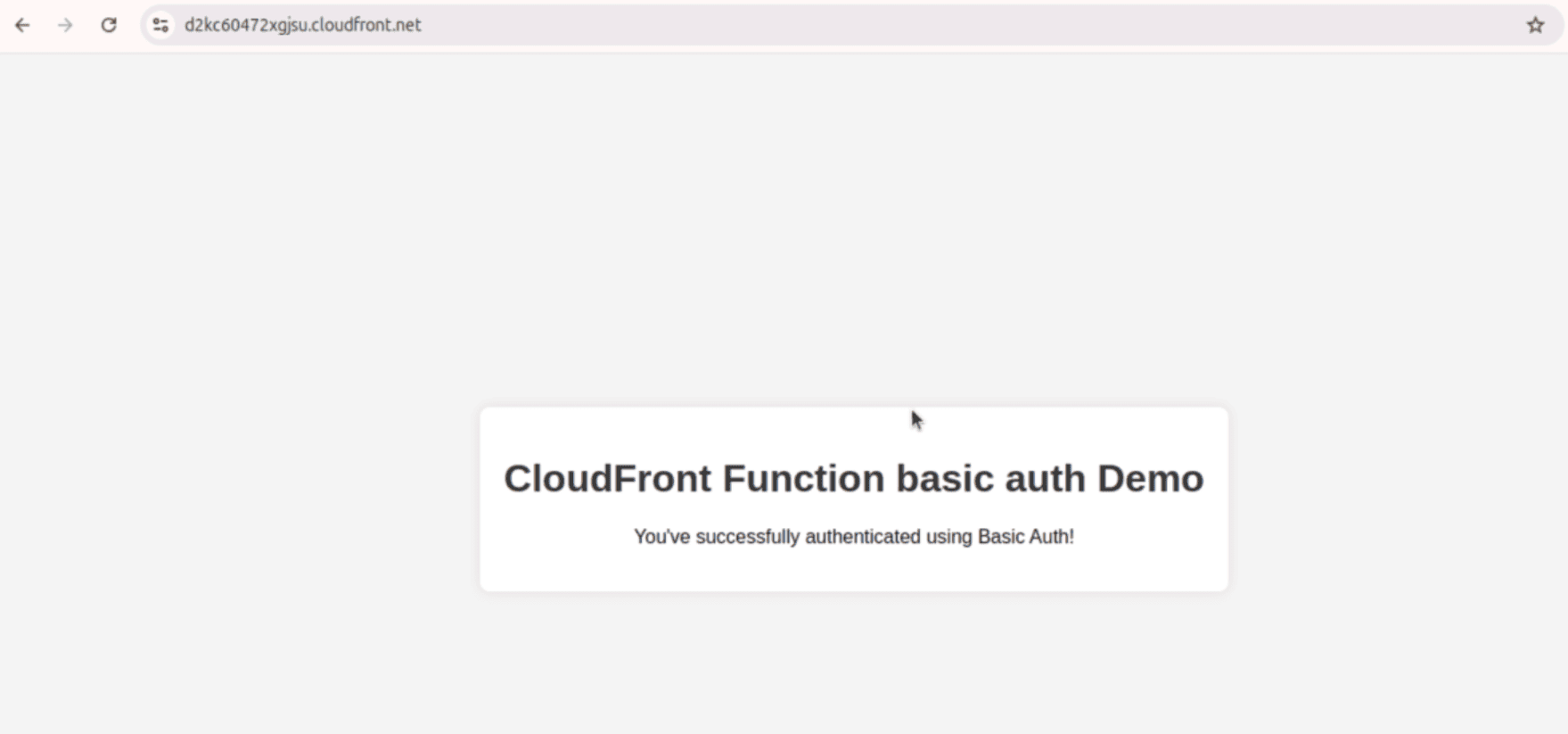
Enter valid credentials to gain access to the website.
2. CMD Test:
Use curl command to simulate a request:
curl -i --user username:password https://your-cloudfront-url.comIf authentication fails, you’ll see a 401 Unauthorized response.
Conclusion
By adopting SupportSages' approach to CloudFront Functions with KeyValueStore, you can enhance edge security while avoiding the extra cost and complexity of traditional authentication servers. Our scalable, serverless solution ensures your content remains secure yet easily accessible to authorized users. With centralized credential management, administration becomes simpler and more efficient.
Ready to enhance your cloud security posture or optimize your AWS infrastructure? Contact SupportSages today for a consultation with our AWS DevOps experts. We'll help you implement efficient, secure solutions that leverage the full power of AWS services.
Why Partner with SupportSages?
We specialize in transforming your existing cloud infrastructure into a highly secure, cost-optimized solution. Many of our clients have reduced their cloud spend by up to 50% to 70% without compromising performance or compliance. As an AWS DevOps Competency partner, we implement advanced protection mechanisms, comprehensive backup plans, and robust disaster recovery solutions tailored to your business needs. The SupportSages team ensures proper auto-scaling policies are implemented to handle traffic spikes while minimizing resource wastage.
The right cloud partner makes all the difference. Make it SupportSages