



Introduction
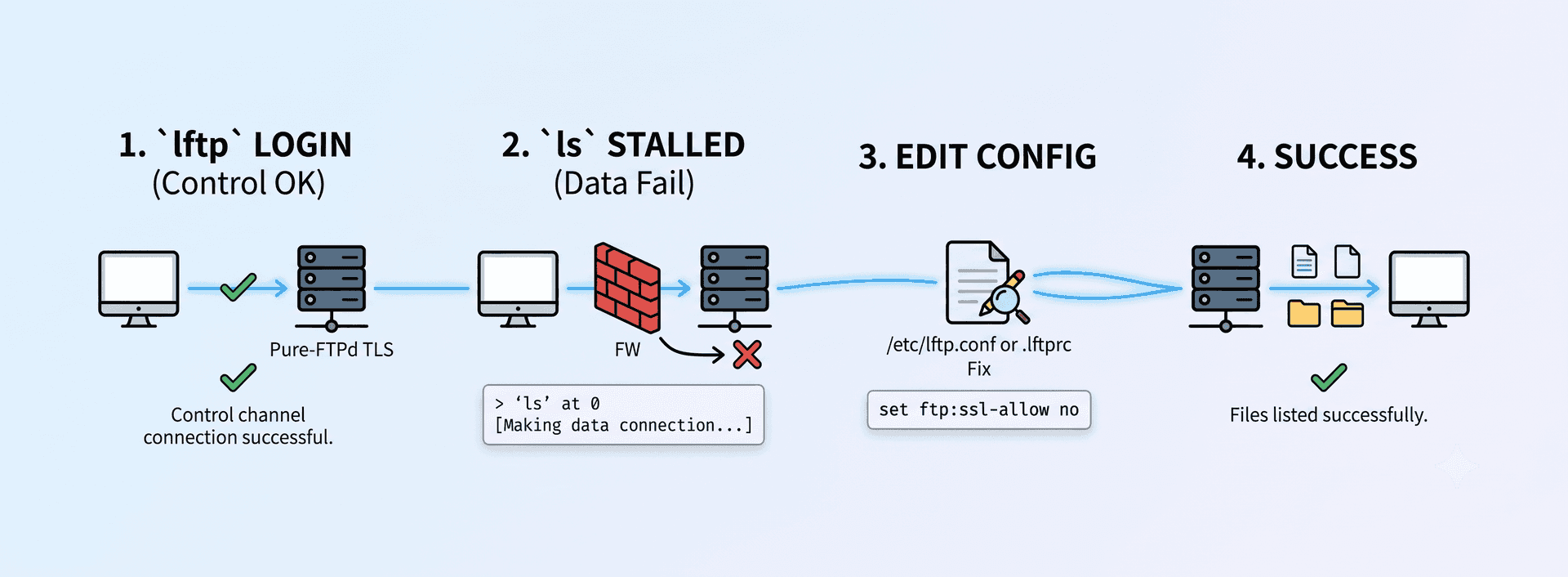
LFTP is a file transfer program which is really helpful for server management. Once after getting into the server using LFTP you may get the following error when ‘ls’ command is executed.
lftp [EMAIL PROTECTED]:~> ls
> `ls’ at 0 [Making data connection…]
This message will be shown for a long time without any other response. Relogging into the server in debug mode, you will get more a detailed error log.
<— 220———- Welcome to Pure-FTPd [TLS] ———-
<— 220-You are user number 7 of 50 allowed.
<— 220-Local time is now 13:54. Server port: 21.
<— 220-This is a private system – No anonymous login
<— 220-IPv6 connections are also welcome on this server.
<— 220 You will be disconnected after 15 minutes of inactivity.
—> FEAT
<— 211-Extensions supported:
<— EPRT
<— IDLE
<— MDTM
<— SIZE
<— REST STREAM
<— MLST type*;size*;sizd*;modify*;UNIX.mode*;UNIX.uid*;UNIX.gid*;unique*;
<— MLSD
<— ESTP
<— PASV
<— EPSV
<— SPSV
<— ESTA
<— AUTH TLS
<— PBSZ
<— PROT
<— 211 End.
—> AUTH TLS
<— 234 AUTH TLS OK.
—> OPTS MLST type;size;modify;UNIX.mode;UNIX.uid;UNIX.gid;
Certificate depth: 2; subject: /C=US/O=Entrust.net/OU=www.entrust.net/CPS incorp. by ref. (limits liab.)/OU=(c) 1999 Entrust.net Limited/CN=Entrust.net Secure Server Certification Authority; issuer: /C=US/O=Entrust.net/OU=www.entrust.net/CPS incorp. by ref. (limits liab.)/OU=(c) 1999 Entrust.net Limited/CN=Entrust.net Secure Server Certification Authority
Certificate depth: 1; subject: /C=US/O=DigiCert Inc/OU=www.digicert.com/CN=DigiCert Global CA; issuer: /C=US/O=Entrust.net/OU=www.entrust.net/CPS incorp. by ref. (limits liab.)/OU=(c) 1999 Entrust.net Limited/CN=Entrust.net Secure Server Certification Authority
Certificate depth: 0; subject: /C=us/ST=Michigan/L=Ann Arbor/O=A2 Hosting, Inc./OU=Production Services/CN=*.a2hosting.com; issuer: /C=US/O=DigiCert Inc/OU=www.digicert.com/CN=DigiCert Global CA
<— 200 MLST OPTS type;size;sizd;modify;UNIX.mode;UNIX.uid;UNIX.gid;unique;
—> USER username
<— 331 User username OK. Password required
—> PASS password
<— 230-User username has group access to: username
<— 230 OK. Current restricted directory is /
—> PWD
<— 257 “/” is your current location
—> PBSZ 0
<— 200 PBSZ=0
—> PROT P
<— 534 Fallback to [C]
—> PASV
<— 227 Entering Passive Mode (74,ip,ip,125,50,177)
—- Connecting data socket to (74.ip.ip.125) port 12977
Interrupt
—> LIST
—> ABOR
—- Closing aborted data socket
We need to edit the lftp configuration file to fix the issue. Open the file /etc/lftp.conf or create a file named .lftprc inside the home directory for the user and add the following line :
set ftp:ssl-allow no
This should fix the issue and mirror the contents.
If you still facing any issues on using LFTP let us know, our server management team can help you.

