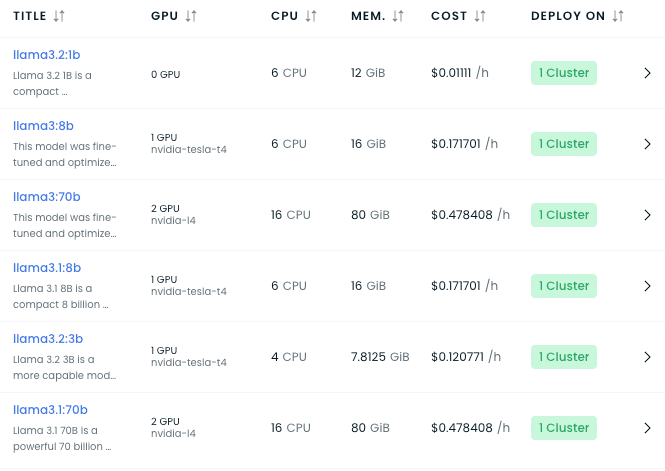
This repository provides instructions for deploying the Llama3.2:3b Large Language Model (LLM) on a Kubernetes cluster, using NGINX Ingress Controller to expose the service externally.
Prerequisites
- Kubernetes Cluster: Ensure a Kubernetes cluster is up and running.
Steps for Deployment
1. Install NGINX Ingress Controller
To enable external access, install the NGINX Ingress Controller using the following command:
kubectl apply -f https://raw.githubusercontent.com/kubernetes/ingress-nginx/controller-v1.12.0/deploy/static/provider/aws/deploy.yamlVerify that the Ingress Controller pods are running:
kubectl get pods -n ingress-nginx2. Deploy the LLM
Clone the Repo and go to manifest folder
Use the deploy.yaml file in the manifest folder to deploy the model. Update the model name if required by modifying the containers section as shown below:
containers:
  - name: ollama
    image: ollama/ollama:0.3.12
    imagePullPolicy: IfNotPresent
    lifecycle:
      postStart:
        exec:
          command:
            - ollama
            - run
           - llama3.2:3b
To deploy the model:
kubectl apply -f manifest/deploy.yaml3. Configure External Access
After deploying the model, use the ingress-llama.yaml file to expose the service externally. Update the host field with your custom domain and ensure your domain points to the load balancer created by the Ingress Controller.
Example ingress-llama.yaml
apiVersion: networking.k8s.io/v1
kind: Ingress
metadata:
  name: ingress-nginx
spec:
  rules:
    - host: llama.devopsfor.cloud
      http:
        paths:
          - path: /
            pathType: Prefix
            backend:
              service:
                name: service-llama3-2-3b
                port:
                  number: 11434
  ingressClassName: nginx
To apply the ingress configuration:
kubectl apply -f manifest/ingress-llama.yamlVerify that the Ingress resource is created:
kubectl get ingress
Testing the Deployment
Once the domain is configured, the API will be accessible at your domain (e.g., http://llama.devopsfor.cloud).
Example API Request
Send a POST request to interact with the model:
curl -X POST http://llama.devopsfor.cloud/api/chat \
-H "Content-Type: application/json" \
-d '{
  "model": "llama3.2:3b",
  "stream": false,
  "messages": [
    {"role": "user", "content": "What is Kubernetes?"}
  ]
}'
Flutter Example for Testing the Model
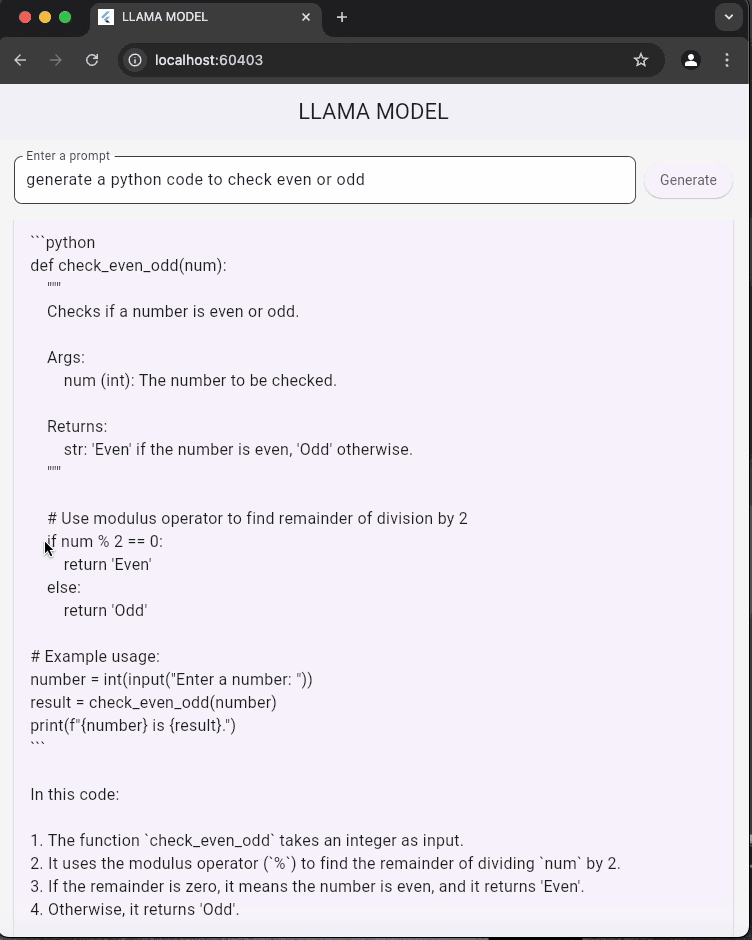
Here is the POST request used to interact with the model from a Flutter application:
final url = Uri.parse('http://llama.devopsfor.cloud/api/chat');
final response = await http.post(
url,
headers: {'Content-Type': 'application/json'},
body: jsonEncode({
"model": "llama3.2:3b",
"stream": false,
"messages": [
{"role": "user", "content": prompt}
]
}),
);
This code sends a POST request to the LLM endpoint and retrieves the generated response. You can integrate this into your Flutter app to test the deployed model.
Example API Response
{
  "message": {
    "content": "Kubernetes is an open-source platform for automating deployment, scaling, and management of containerized applications."
  }
}
Updating the Model
To deploy a different model, update the containers section in deploy.yaml with the desired model name:
command:
  - ollama
  - run
  - <MODEL_NAME>
Reapply the updated deployment:
kubectl apply -f manifest/deploy.yaml