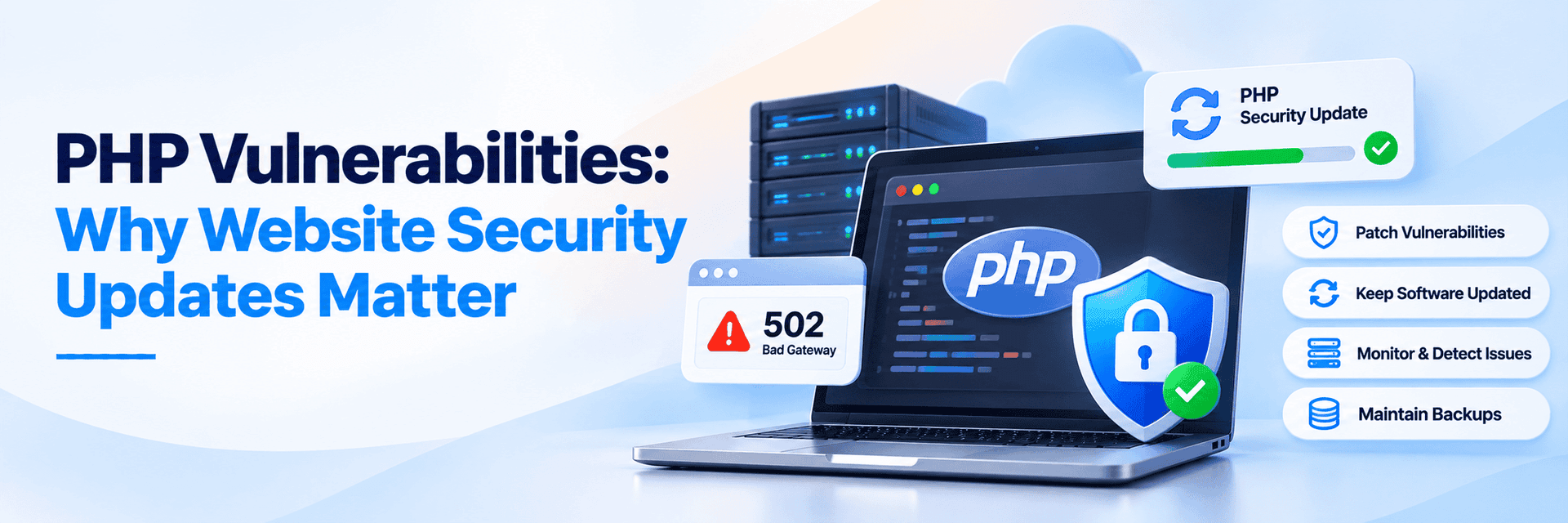
PHP Vulnerabilities: Why Website Security Updates Matter
Imagine finding an affordable laptop online. It has 16 GB RAM, 512 GB storage and looks exactly what you need. You click Buy Now, log in, enter your delivery details and proceed to payment.
After entering your card details, click Confirm. The page takes longer than usual and displays a 502 Bad Gateway error. You refresh the page, and suddenly a green banner appears: "Payment successful."
You assume everything is fine. But what happens behind a website when you click a button? Could a weakness in its software put your information at risk?
This article explains PHP vulnerabilities, how attackers can exploit them and why keeping website technology updated matters to everyday internet users and website owners.
What Happens Behind the Scenes When You Visit a Website?
When you open a website, your browser sends a request to a web server. The server processes that request and sends a response back to your browser.
If the website uses PHP, the server executes PHP code before returning to the requested page. This can happen through different environments, including PHP-FPM, Apache's mod_php, CGI and other PHP integrations.
For example, PHP-FPM (FastCGI Process Manager) manages PHP requests using a pool of worker processes. When a visitor logs in, submits a form or adds something to a shopping cart, one of these workers handles the request.
Other technologies provide different approaches to PHP execution:
- FrankenPHP: A PHP application server that integrates PHP execution with its web server capabilities.
- LiteSpeed: A web server that supports PHP execution through compatible PHP integration methods.
These technologies provide different ways to execute PHP applications. However, vulnerabilities in the PHP runtime can affect the underlying request-processing environment.
The problem is not always with a website's visible code. Sometimes, the weakness exists much deeper, inside the PHP engine itself.
What Are the Different Types of PHP Vulnerabilities?
Not every security weakness works in the same way. Some affect PHP itself, while others exist in applications and components built using it.
Here are three examples:
1. Memory Corruption
PHP uses memory to store information while processing requests. If the software handles that memory incorrectly, it may access or modify areas it should not.
This can cause crashes, unexpected behavior or, in serious cases, allow attackers to execute malicious code.
2. Use-After-Free Vulnerabilities
When a program finishes using a section of memory, it can release that memory for reuse. A use-after-free vulnerability occurs when the program tries to access that memory again after it has already been released.
This can cause unexpected behavior, crashes, or potentially allow attackers to execute code.
3. Remote Code Execution
Remote code execution (RCE) is one of the most serious security risks. It occurs when an attacker can make a vulnerable system to execute code remotely.
Depending on the permissions of the affected process, this could allow access to files, execution of commands, or further compromise of the server.
These vulnerabilities can exist in PHP itself, as well as in frameworks, plugins, themes and third-party libraries.
October and November 2026: Why PHP Security Updates Matter
In October 2026, the PHP development team addressed two critical remote code execution vulnerabilities: CVE-2026-109618 and CVE-2026-109619.
Both received a CVSS v4.0 severity score of 9.2 out of 10.
The first vulnerability involved improper handling of out-of-memory (OOM) errors. PHP could interrupt request processing while internal data was only partially initialized. During request cleanup, the software could then access this invalid memory state.
The second involved stale internal state. Some information retained by a PHP worker could continue pointing to memory belonging to an earlier request, even after that memory had been released. A subsequent request handled by the same worker could encounter this stale information.
The PHP team released fixes for both vulnerabilities on October 21, 2026.
CVE-2026-115560: Session Serialization Mismatch
On November 19, 2026, PHP published details of another security vulnerability, CVE-2026-115560, involving its session upload progress feature.
The vulnerability occurs when PHP writes session data using one serialization format but later reads the same data using a different format.
For example, session upload progress can write attacker-controlled data using the php_binary or php_serialize format. If another application or process accesses the same stored session using the php serializer, the mismatched format can cause part of an attacker-controlled session key to be interpreted as serialized object data.
The vulnerability can be exploited under the following conditions:
Session upload progress is enabled, and an attacker can submit a specially crafted multipart file upload.
The upload writes session data using php_binary or php_serialize.
Another application or process subsequently accesses the same session using the php serializer.
The reading application has a suitable object deserialization gadget chain that could allow code execution.
Importantly, this mismatch does not necessarily require an application to change its session handler at runtime using ini_set(). It can also occur between separate applications, PHP-FPM pools or processes that share session storage but use different serialization settings.

What changed in the November 19 security update?
Before the November 19 update, session upload progress was enabled by default in PHP. The security update changed this default to disabled and also prevents runtime changes to session serialization settings while upload progress is enabled.
Administrators who explicitly enable this feature must still ensure that all applications sharing session data use compatible serialization settings.
Updated PHP versions released on November 19, 2026:
- PHP 8.6.0
- PHP 8.5.13
- PHP 8.4.28
- PHP 8.3.37
- PHP 8.2.36
PHP 8.6.0 is the new major release and includes the security fix. The other four versions are security updates for their respective maintained branches.
These releases address CVE-2026-115560 and include other security fixes. PHP 8.1 and older branches no longer receive official security updates from the PHP project, although some vendors may provide backported fixes.
These incidents demonstrate why vulnerabilities in widely used software need to be taken seriously, even when a website appears to be working normally.
What Happens When Website Owners Ignore Security Updates?
A security fix being available does not mean every website has automatically received it.
Consider a hosting server running several websites. Some may use older PHP versions because their owners have not checked for updates. Others may depend on outdated plugins or applications.
Even after a vulnerability becomes public, these websites can remain exposed until someone takes action.
An attacker who successfully exploits a vulnerable PHP installation may gain access to information or execute code with the permissions of the affected process.
Depending on the server configuration, this could lead to:
- Unauthorised access to website files.
- Exposure of information handled by the application.
- Installation of malicious scripts.
- Changes to website content or functionality.
- Further attacks against other systems.
For ordinary visitors, the consequences may not be immediately obvious. A compromised website could continue displaying normal pages while its backend is being misused.
A 502 Bad Gateway error alone does not indicate that a website has been hacked. It simply means a gateway or proxy did not receive a valid response from an upstream server.
How Can Website Owners Protect Their Websites?
Software maintenance should be a regular responsibility rather than something addressed only when problems occur.
1. Keep PHP Updated
Check the PHP versions running on your servers and websites. On systems with PHP CLI installed, use the following command:
php -v
Install appropriate security releases and plan upgrades before a PHP branch reaches end of life.
2. Update Plugins and Applications
Keep content management systems, plugins, themes, frameworks and third-party dependencies updated. Vulnerabilities can exist outside the PHP runtime itself.
3. Monitor PHP Workers and Server Logs
Monitor worker crashes, unusual request patterns, unexpected resource consumption, and suspicious processes. Server logs can help administrators identify problems that might otherwise go unnoticed.
4. Maintain Backups
Keep regular backups of website files and databases. Store them separately from the production environment and test that they can actually be restored.
5. Review Server Security Regularly
Check file permissions, user accounts, PHP configurations and exposed services. If a server is suspected of being compromised, applying a patch alone is not enough. Administrators should investigate signs of an existing intrusion.
Conclusion
Every time someone visits a website, several layers of software work together to deliver the experience they see on their screen. PHP is one of those layers, and weaknesses in it can create risks beyond the server itself.
The October and November 2026 security releases demonstrate that even widely used technologies can contain serious vulnerabilities.
For website owners and hosting providers, regular updates, server monitoring, and proper maintenance are essential. For everyday users, understanding that website security goes beyond what is visible on a screen is an important first step.