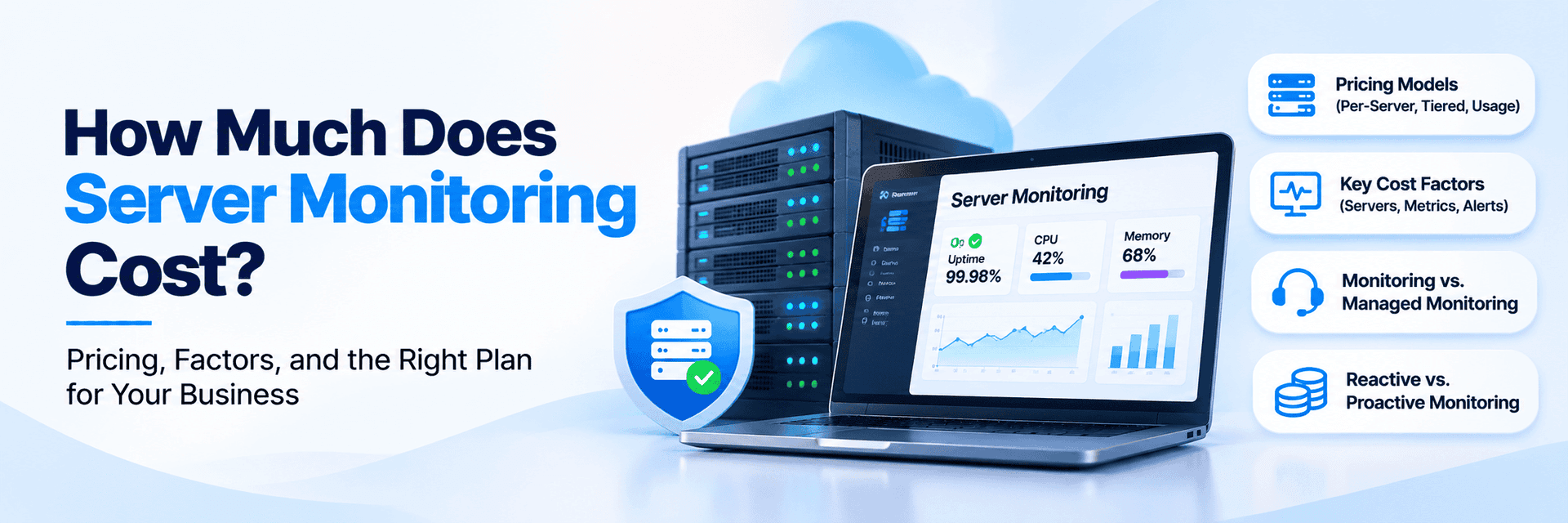
Server monitoring helps businesses track infrastructure health, identify performance issues, and detect potential failures before they affect customers.
But how much does server monitoring actually cost?
The price depends on several factors, including the number of servers, monitoring features, alerting requirements, and whether you need technical engineers to respond when an issue occurs.
Some businesses only need basic uptime monitoring, while others require continuous monitoring with technical support available around the clock. Understanding the difference can help you choose the right solution.
What Determines Server Monitoring Costs?
Server monitoring pricing depends on more than the number of servers you manage. The level of monitoring and support you require also affects the overall cost.
1. Number of Servers
The number of servers being monitored is one of the main pricing factors. Monitoring five servers will generally cost less than monitoring 100 or more. Providers may charge a fixed monthly fee per server or offer tiered plans based on the number of monitored systems.
2. Monitoring Features and Metrics
Basic monitoring usually covers uptime and service availability. More advanced solutions track CPU and memory usage, disk space, network activity, running services, database performance, and application response times. The more detailed the monitoring requirements, the more resources and configuration may be needed.
3. Alerts and Notifications
Monitoring is useful only when important issues reach the right people. Basic plans may provide email alerts, while advanced solutions can integrate with tools such as Slack, Microsoft Teams, and ticketing systems. Alert rules and escalation requirements can also influence pricing.
4. 24/7 Human Monitoring and Response
There is an important difference between automated monitoring and managed monitoring. Software can detect an issue and send an alert, but it does not automatically investigate or resolve the problem.
If you need engineers to review alerts, troubleshoot issues, and take corrective action around the clock, the service will generally cost more than software-only monitoring.
Common Server Monitoring Pricing Models
Providers generally use one of four pricing models.
1. Per-Server Pricing
You pay a fixed monthly amount for each monitored server. For example, at $15 per server per month, monitoring 20 servers would cost $300 per month. This model is suitable for hosting companies, resellers, and businesses with a predictable server count.
2. Tier-Based Pricing
Providers offer different packages based on server count and monitoring features. Basic plans may cover uptime and resource monitoring, while higher tiers include advanced metrics, integrations, and reporting. This works well for businesses that want to expand monitoring as their infrastructure grows.
3. Usage-Based Pricing
Some monitoring platforms charge based on data ingestion, monitored metrics, log volume, or the number of events processed. This model is common in larger environments, but costs can increase as monitoring data and infrastructure grow.
4. Managed Monitoring Services
Managed monitoring includes more than access to a dashboard. Depending on the agreement, the provider may configure monitoring, review alerts, investigate incidents, and provide technical support. This is useful for hosting providers and businesses that do not have an internal team available to handle monitoring alerts continuously.
Monitoring Software vs. Managed Monitoring
When comparing prices, make sure you understand what you are paying for.
With monitoring software, your team is generally responsible for configuring the system, reviewing alerts, investigating problems, and arranging corrective action. With managed monitoring, some or all of these responsibilities may be handled by the service provider, depending on the agreed scope.
A low-cost monitoring platform may therefore involve additional internal costs for engineering time and incident handling. Consider both the software expense and the resources needed to act on its findings.
Hidden Costs to Consider
The monthly subscription may not cover every expense. Initial configuration, server integration, custom alert settings, data retention, and additional monitoring requirements may involve extra charges.
You should also consider the cost of managing false alerts and investigating incidents. Monitoring software can identify a problem, but troubleshooting and resolution may require a separate support agreement.
Clarifying these costs before signing up will help you compare providers more accurately.

How Much Does Server Monitoring Cost at SupportSages?
SupportSages offers two server monitoring options for businesses that need better visibility into their infrastructure.
Reactive Server Monitoring:
Designed for businesses that need monitoring and notifications when monitored services or resources encounter issues.
Proactive Server Monitoring:
Designed for businesses looking for a more proactive approach to infrastructure monitoring and issue identification.
These options allow hosting providers and businesses to select monitoring based on their operational requirements. Monitoring can also complement SupportSages' server management and technical support services.
Note: Monitoring scope, included checks, response responsibilities, and service availability depend on the selected plan and service agreement.
How to Choose the Right Server Monitoring Plan
The right plan depends on your infrastructure and the level of monitoring your team needs.
Small businesses may only require uptime, service availability, and basic resource monitoring. Growing hosting providers may benefit from per-server monitoring with configurable alerts and centralized visibility. Larger hosting companies and MSPs may need advanced monitoring, integrations, and reporting.
If you do not have an internal operations team, managed monitoring with technical support may be a better option.
Before choosing a plan, understand what happens after an alert is triggered. Detection, investigation, and resolution are separate responsibilities, so make sure they are clearly defined.
Final Thoughts
Server monitoring is more than a monthly software expense. It helps businesses maintain infrastructure visibility and identify problems before they develop into larger service disruptions.
The right investment depends on your server count, monitoring requirements, and ability to handle incidents internally. While basic monitoring may be sufficient for some businesses, others may benefit from combining monitoring with professional technical support.
Need reliable server monitoring for your infrastructure? Contact SupportSages to discuss options that match your server environment and operational requirements.
Explore our Server Monitoring Services to learn more.