
Before moving to the steps on cPanel SSL installation we are giving a brief explantion on SSL certificates and its working,
What is SSL
SSL (Secure Sockets Layer) is a cryptographic protocol which ensure the security of communication over the Internet. SSL encrypt the segments of network connections above the Transport Layer, using symmetric cryptography for privacy and a keyed message authentication code for message reliability.
How SSL works
Web servers and Web browsers rely on the SSL protocol to create a unique encrypted channel for private communications over the Internet. The SSL Certificate consists of a public key and a private key. The public key is used to encrypt information and the private key is used to decrypt it. When a Web browser points to a domain which is secured by SSL, a level of encryption is established based on the type of SSL Certificate as well as the client Web browser, operating system and host server’s capabilities. This is why SSL certificates feature a different range of encryption levels.
Obtaining an SSL Certificate
Domain example.com needs an SSL Certificate. The following steps are involved in cPanel SSL installation :
a) Example.com generates a CSR (Certificate Signing Request) and during this process, a private key is generated.
b) With this CSR, Example.com goes to a trusted, third party Certificate Authority like Verisign. They take the Certificate Signing Request and validates example.com. The Certificate Authority validates example.com.
c) When the validation process is complete, the third party Certificate Authority gives a new public key (certificate) encrypted with their private key.
d) Example.com installs the new certificate and gets secured.
Installing SSL
(i) Through cPanel/WHM
Its quite easy to install SSL through cPanel/WHM interface.
Generating CSR
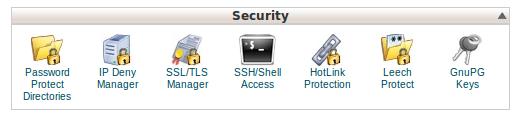
Under Security tab, click SSL/TLS Manager.
Generate the Private Keys first by accessing the option Generate, view, upload or delete your private keys
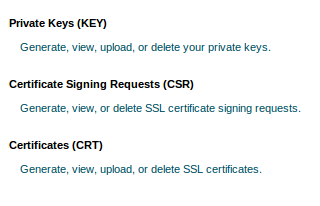
Access the option Generate, view, or delete SSL certificate signing requests. Fill in the forms like Domain Name, E-mail Address, Country etc.
You will obtain the CSR. Contact the Certificate provider with this information. The Certificate Authority will then provide the Certificate (CRT). Finally you will have the following files associated with SSL :
CSR in the format domain.com.csr or domain_com.csr
CA bundle, which have the Public key of the Certificate Authority in the format domain.com.cabundle or domain_com.ca-bundle

CRT, the certificate in the format domain.com.crt or domain_com.crt
Private key in the format domain.com.key or domain_com.key
The cPanel SSL installation can be done in two ways,
Method 1 : Installing from cPanel
1. Go to SSL/TLS Manager.
2. Click Generate, view, upload, or delete your private keys.
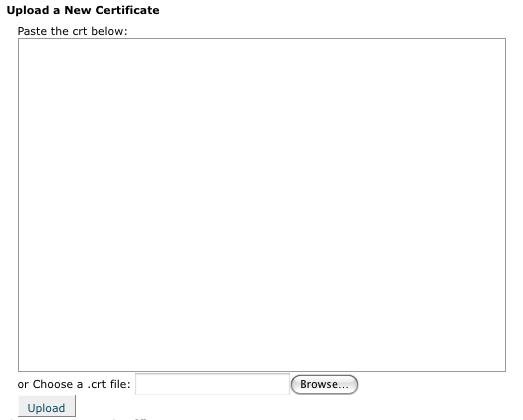
3. Under the Upload a New Certificate section, click on the Browse button (next to Choose a .crt file option) and find the Domain Certificate file (example.crt) that you obtained from the SSL vendor. Alternatively you can paste the Certificate contents on the section Paste the crt below. Make sure to include the BEGIN and END tags, while copying your certificate. Click the Upload button.
4. Go Back and click Return to SSL Manager at the bottom of the page.
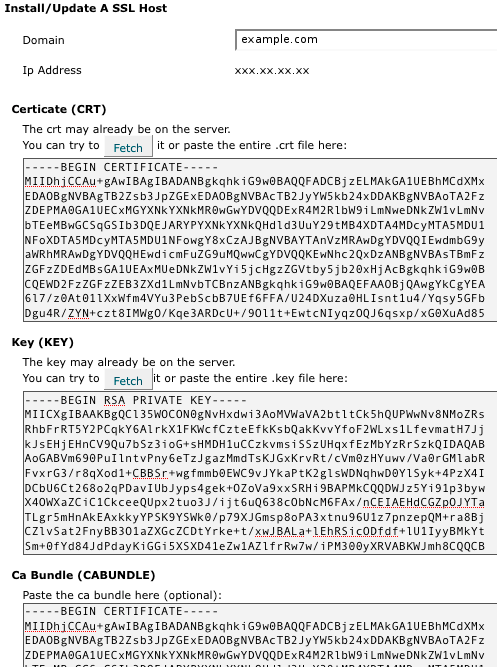
5. Click on Setup a SSL certificate to work with your site. If this option is not available, your web host may have disabled it. You will need to contact them for further support.
6. Now, select the domain you are using from the Domain drop down menu. It will attempt to fetch the SSL Certificate and the private key. If this doesn’t work, you may need to contact your web host.
7. In the box labeled CA Bundle paste the contents of the Intermediate certificate (DigiCertCA.crt).
8. Click Install Certificate. Your SSL certificate should now be installed, and the website configured to accept secure connections. You or your web host may need to restart Apache before it will work.
Method 2 : Installing from WHM
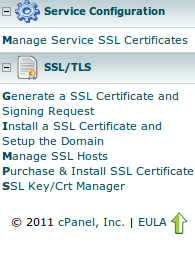
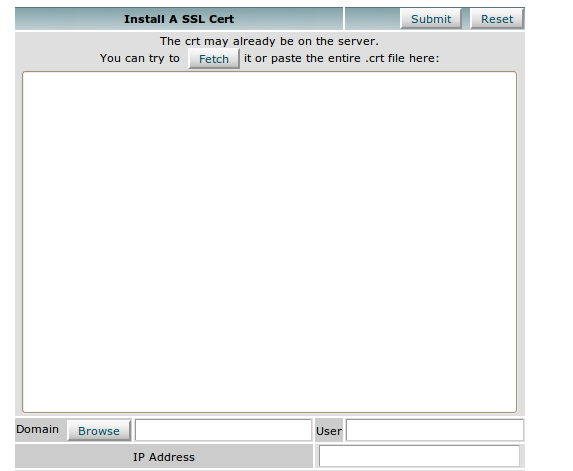
You can install SSL certificate from WHM also. Its quite simple when compared to the installation through cPanel. All you need is the root access to WHM. Once you login to the WHM, search for the option Install a SSL Certificate and Setup the Domain.
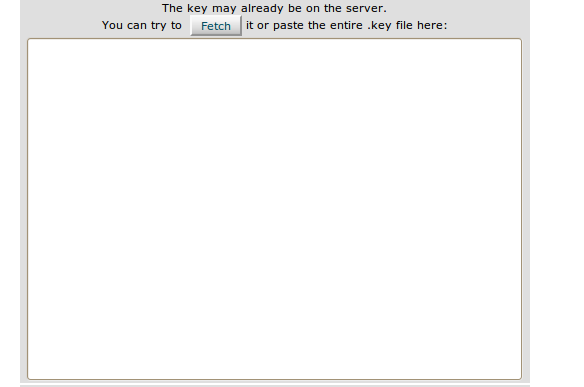
You’ll find three boxes. Paste the CRT file contents in the first box. It will automatically fetch the Key and CA Bundle (In most cases, CA bundle needs to be fetched manually). Finally click Submit once all the fields are populated. You’ll see a message that indicates the installation is successful

Method 3 : Manual Installation
You can do cPanel SSL installation manually, for that You need the Server Root shell access for this. Go to the Apache configuration file in the server, in the cPanel case its /usr/local/apache/conf/httpd.conf. Locate the VirtualHost entry configured for SSL. Configure it like :
<VirtualHost xxx.xxx.x.xx:443> ServerName example.com ServerAlias www.example.com DocumentRoot /home/example/public_html SSLEngine on SSLCertificateFile /usr/share/ssl/certs/example.com.crt SSLCertificateKeyFile /usr/share/ssl/private/example.com.key SSLCACertificateFile /usr/share/ssl/certs/example.com.cabundle </VirtualHost>
where SSLCertificateFile is the SSL certificate file path, SSLCertificateKeyFile is the Key file path, SSLCACertificateFile is the path to the Intermediate file. Make sure you’ve the files in the specified path (It may vary on different scenarios). Restart the Web server and you’re done.