



If you've been hearing about Proxmox VE and wondering what it actually is and whether it's the right fit for your infrastructure, this guide is for you. It's written for system administrators, IT students, and anyone getting started with virtualization who wants a clear, practical answer - not a spec sheet.
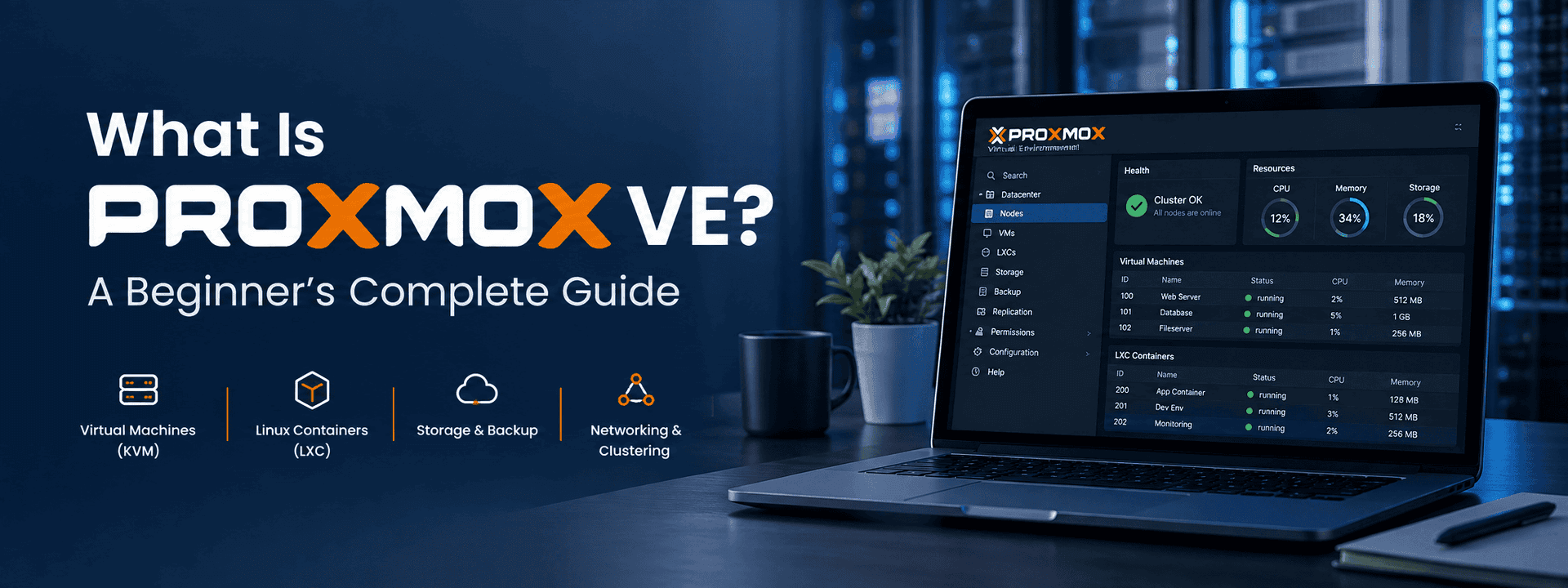
What is Proxmox VE? It's a free, open-source virtualization platform that lets you run virtual machines and Linux containers from a single web-based interface. In this guide, we'll cover what it does, who it's built for, how it compares to alternatives, and what you need to get started.
What Is Proxmox VE?
Proxmox Virtual Environment - commonly called Proxmox VE or PVE - is a free, open-source server virtualization platform built on Debian Linux. It lets administrators create, manage, and monitor both virtual machines (VMs) and Linux Containers (LXCs) from a single browser-based dashboard, without needing additional management software.
Unlike commercial virtualization platforms that require expensive per-host licensing, Proxmox provides enterprise-grade features at no cost. An optional paid subscription unlocks enterprise update repositories and professional support, but the core platform is fully functional out of the box.
In short: Proxmox VE gives you the virtualization capabilities that traditionally required costly platforms, in a package that's free to download, free to use, and actively maintained by a large open-source community.
KVM Virtual Machines vs LXC Containers
Proxmox supports two types of workloads, and understanding the difference is key to using the platform effectively.
KVM (Kernel-based Virtual Machine) provides full virtualization - each VM gets its own CPU, memory, storage, and network stack and runs a completely independent operating system. This means you can run Windows Server, Ubuntu, CentOS, Rocky Linux, AlmaLinux, or any other OS on the same host simultaneously.
LXC (Linux Containers) offer lightweight virtualization by sharing the host kernel. Containers start in seconds, consume a fraction of the resources a full VM requires, and are ideal for web servers, databases, and development environments where you don't need a separate kernel.
Both types are managed from the same Proxmox web interface, with the same tooling for backups, snapshots, networking, and resource monitoring.

Key Features of Proxmox VE and Why They Matter
What makes Proxmox VE stand out isn't any single feature - it's that all the capabilities an infrastructure team needs are packaged together in one platform, without hidden costs or vendor lock-in.
Web-Based Management Interface
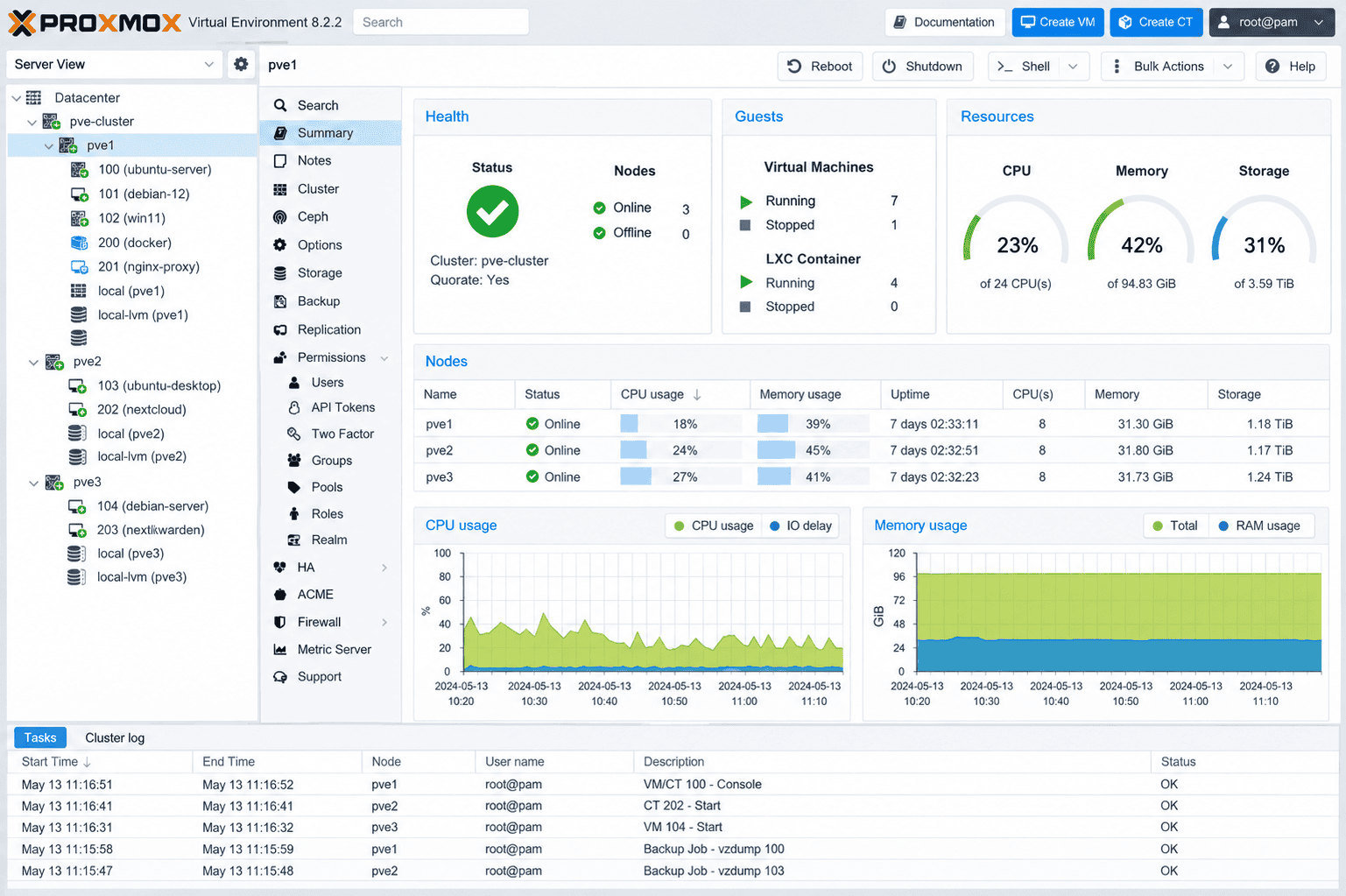
Proxmox's browser-based dashboard is one of its biggest strengths. From a single interface, you can create VMs and containers, configure networking, monitor CPU and RAM usage, manage storage, create and schedule backups, restore machines, and manage clusters. No separate management server, no additional agents, no client software to install.
Built-In Backup and Restore
Proxmox includes a native backup system that supports full backups, scheduled jobs, compression, and encryption. When paired with
Flexible Storage Support
Proxmox works with virtually every storage technology in use today:
- Local storage and directory storage
- NFS and SMB/CIFS network shares
- iSCSI
- ZFS - with built-in RAID, snapshots, and checksumming
- Ceph - distributed, self-healing storage ideal for clusters
- LVM and LVM-Thin
This flexibility means you can build a storage architecture that matches your performance requirements and budget, whether that's a single local NVMe drive or a fully distributed Ceph cluster across multiple nodes.
Enterprise Networking
Proxmox supports Linux bridges, VLANs, bonded interfaces, software-defined networking (SDN), and both IPv4 and IPv6 - without requiring additional networking software. Complex multi-tenant or multi-VLAN environments can be configured entirely within the Proxmox interface.
Clustering and High Availability
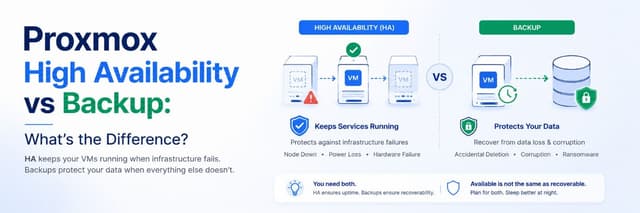
Multiple Proxmox nodes can be joined into a cluster, giving you a single management view across all hosts. Add the High Availability (HA) stack and virtual machines automatically restart on a healthy node if a host fails - keeping production services online through hardware failures with minimal downtime. For a deeper look at how HA works alongside backups, see our guide on
Where Is Proxmox VE Used?
Proxmox VE is not a niche hobbyist tool. It's deployed in production environments across a wide range of industries and scales, which is part of why the Proxmox community and ecosystem have grown as large as they have. According to the
- Home labs and personal development environments
- Educational institutions and university IT departments
- Small and medium businesses replacing expensive commercial hypervisors
- Managed service providers (MSPs) hosting client infrastructure
- Web hosting and VPS providers
- Enterprise data centers running mixed workload environments
- Disaster recovery environments requiring fast failover
The breadth of that list matters because it means the platform is tested at scale across very different use cases, and the community knowledge base reflects that depth.
Proxmox VE vs Other Virtualization Platforms
For teams evaluating their options, Proxmox VE is most commonly compared against VMware ESXi and Microsoft Hyper-V. The differences come down to cost, flexibility, and licensing model.
| Feature | Proxmox VE | VMware ESXi | Hyper-V |
| Cost | Free (open source) | Paid licensing | Included with Windows Server |
| VM Hypervisor | KVM | ESX | Hyper-V |
| Containers | LXC built-in | Requires add-ons | Limited |
| Web UI | Built-in | Built-in | Windows Admin Center |
| Clustering | Built-in | vCenter (paid) | Failover Cluster Manager |
| HA | Built-in | vSphere HA (paid) | Built-in |
| Backup | PBS (free) | Paid solutions | Windows Server Backup |
The headline difference is cost: features that require vCenter and vSphere licensing on VMware - clustering, HA, advanced storage - are included in Proxmox VE at no charge. For MSPs and SMBs especially, that changes the economics of running a resilient virtualization stack significantly.
Proxmox VE Terminology You Need to Know
Before diving into installation or configuration, these are the terms that come up constantly when working with Proxmox:
- Node — A physical server running Proxmox VE.
- Cluster — A group of multiple Proxmox nodes managed as a single unit.
- VM (Virtual Machine) — A fully virtualized OS running via KVM.
- Container (LXC) — A lightweight Linux environment sharing the host kernel.
- Storage — Where VM disks, ISOs, templates, and backups live.
- Bridge — A virtual network switch connecting VMs to the physical network.
- Snapshot — A point-in-time copy of a VM's disk state, useful before upgrades.
- PBS (Proxmox Backup Server) — A dedicated backup solution for Proxmox VE environments.
Frequently Asked Questions
Is Proxmox VE really free?
Yes. The core Proxmox VE platform is fully free and open-source under the AGPL license. A paid subscription is available for access to enterprise update repositories and professional support, but it is not required to use any feature of the platform.
Can Proxmox VE run Windows virtual machines?
Yes. Proxmox's KVM hypervisor supports Windows Server and desktop editions as guest operating systems. VirtIO drivers are recommended for best performance inside Windows VMs, and Proxmox provides these through its included driver ISO.
What are the minimum hardware requirements for Proxmox VE?
Proxmox VE requires a 64-bit CPU with virtualization support (Intel VT-x or AMD-V), a minimum of 2 GB RAM (8 GB or more recommended for production), and at least one network interface. A dedicated drive for the Proxmox OS is also recommended to keep it separate from VM storage.
How is Proxmox VE different from VMware?
The main differences are cost and licensing. Proxmox VE is free and open-source; comparable VMware features (clustering, HA, advanced storage) require paid vSphere and vCenter licenses. Proxmox also includes native LXC container support, which VMware does not offer natively.
Can I use Proxmox VE for a home lab?
Absolutely - home labs are one of the most common use cases for Proxmox. It runs well on repurposed enterprise hardware or even consumer mini-PCs, and the free tier gives you every feature needed to build a realistic lab environment.
Conclusion
Proxmox VE is one of the most capable and cost-effective virtualization platforms available today. It combines KVM virtual machines, LXC containers, enterprise storage support, built-in networking, clustering, high availability, and backup capabilities into a single free platform that scales from a home lab to a production data center.
Whether you're replacing an aging VMware environment, building your first virtualization stack, or consolidating scattered physical servers, Proxmox VE gives you the tools to do it without licensing overhead or vendor lock-in.
In the next part of this series, we'll walk through installing Proxmox VE from scratch - covering system requirements, the installation process, and the initial configuration steps needed to start deploying virtual machines and containers.
Thinking about setting up Proxmox VE for your environment?
SupportSages offers a free Proxmox consultation - we'll review your infrastructure requirements and help you plan a virtualization setup that's right-sized, resilient, and built to last.