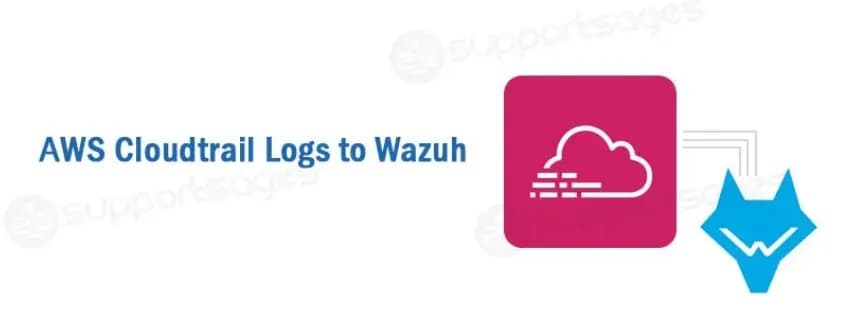
AWS CloudTrail is a service that enables auditing of your AWS account. With CloudTrail, you can log, monitor, and retain account activity related to actions across your AWS infrastructure. This service provides the event history of your AWS account activity, such as actions taken through the AWS Management Console, AWS SDKs, command line tools, and other AWS services.
AWS Configuration
- From your AWS console, choose “CloudTrail” from the Deployment & Management section:
- Create a new trail
- Provide a name for the new S3 bucket that will be used to store the CloudTrail logs (remember the name you provide here, you’ll need to reference it during plugin setup):
The standard file system AWS CloudTrail will create has this structure:
<bucket_name>/<prefix>/AWSLogs/<account_id>/CloudTrail/<region>/<year>/<month>/<day>The structure may change depending on the different configurations of the services, and the user may only change the bucket_name & prefix values.

IAM Policy configuration
To create a policy using the Amazon Web Services console, follow the AWS documentation.
Take into account that the policies below follow the principle of least privilege to ensure that only the minimum permissions are provided to the Wazuh user.
To allow an AWS user to use the module with read-only permissions, it must have a policy like the following attached:
{
"Version": "2012-10-17",
"Statement": [
{
"Sid": "VisualEditor0",
"Effect": "Allow",
"Action": [
"s3:GetObject",
"s3:ListBucket"
],
"Resource": [
"arn:aws:s3:::<bucket-name>/*",
"arn:aws:s3:::<bucket-name>"
]
}
]
}Note: Change the bucketname as per your bucket’s name
Once a policy has been created, there are different methods available to attach it to a user, such as attaching it directly or to a group to which the user belongs. More information on how to perform those tasks on the AWS documentation.
Wazuh configuration
- Open the Wazuh configuration file (/var/ossec/etc/ossec.conf) and add the following configuration block to enable the integration with CloudTrail:
<wodle name="aws-s3">
<disabled>no</disabled>
<interval>10m</interval>
<run_on_start>yes</run_on_start>
<skip_on_error>yes</skip_on_error>
<bucket type="cloudtrail">
<name>your-bucket-name</name>
<aws_profile>default</aws_profile>
</bucket>
</wodle>
2. Restart Wazuh in order to apply the changes:
systemctl restart wazuh-managerThis is it for configuring AWS Cloudtrail logs with Wazuh.
Additionally, I would like to add some things to this blog, like pushing logs of multiple AWS services, and how to add configuration for that. Assume that you have to push logs of cloudwatch and cloudtrail to a Wazuh server. I also like to tell you that if you need help configuring cloudwatch logs to wazuh, you can check my blog on this link.
So, what if we wanna do both, it’s simple but can be mistaken at times.
Sometime people may be mistaken that they have to add 2 blocks one separate for service and one separate for bucket in ossec.conf if we want to push the logs of cloudwatch and cloudtrail like below
<wodle name="aws-s3">
<disabled>no</disabled>
<interval>30m</interval>
<run_on_start>yes</run_on_start>
<skip_on_error>yes</skip_on_error>
<service type="cloudwatchlogs">
<aws_profile>default</aws_profile>
<aws_log_groups>log-group-name</aws_log_groups>
<regions>region-id</regions>
</service>
</wodle>


<wodle name="aws-s3">
<disabled>no</disabled>
<interval>30m</interval>
<run_on_start>yes</run_on_start>
<skip_on_error>yes</skip_on_error>
<bucket type="cloudtrail">
<name>bucketname</name>
<aws_profile>default</aws_profile>
</bucket>
</wodle>
But if we add conf like this, the conf will load and Wazuh will load without any issue but it will only read the first wodle block. In our example, the cloudwatch logs will work and cloudtrail logs won’t work.
So, the correct way for the configuration is like below:
<wodle name="aws-s3">
<disabled>no</disabled>
<interval>30m</interval>
<run_on_start>yes</run_on_start>
<skip_on_error>yes</skip_on_error>
<service type="cloudwatchlogs">
<aws_profile>default</aws_profile>
<aws_log_groups>log-group-name</aws_log_groups>
<regions>region-id</regions>
</service>
<bucket type="cloudtrail">
<name>bucketname</name>
<aws_profile>default</aws_profile>
</bucket>
</wodle>
And restart Wazuh
systemctl restart wazuh-managerHope this helps!
Want to improve your AWS security posture by centralizing logs? Streamline your security operations by integrating CloudTrail and CloudWatch logs with Wazuh. This blog guides you through the configuration steps and explains a common pitfall to avoid. Start monitoring your AWS activity for suspicious events today!