• DevOps
    Case Study

    How we built a resilient multi-account, multi-cloud solution for a Health Tech service provider!

    READ CASESTUDY
    icon

    24/7 DevOps as a Service

    Round-the-clock DevOps for uninterrupted efficiency.

    icon

    Infrastructure as a Code

    Crafting infrastructure with ingenious code.

    icon

    CI/CD Pipeline

    Automated CI/CD pipeline for seamless deployments.

    icon

    DevSecOps

    Integrated security in continuous DevOps practices.

    icon

    Hire DevOps Engineers

    Level up your team with DevOps visionaries.

    icon

    Consulting Services

    Navigate success with expert DevOps consulting.

  • TechOps
    Case Study

    How we built a scalable Odoo solution for a Travel Tech service provider!

    READ CASESTUDY

    WEB HOSTING SUPPORT

    icon

    HelpDesk Support

    Highly skilled 24/7 HelpDesk Support

    icon

    Product Support

    Boost your product support with our expertise.

    MANAGED SERVICES

    icon

    Server Management

    Don’t let server issues slow you down. Let us manage them for you.

    icon

    Server Monitoring

    Safeguard your server health with our comprehensive monitoring solutions.

    STAFF AUGMENTATION

    icon

    Hire an Admin

    Transform your business operations with our expert administrative support.

    icon

    Hire a Team

    Augment your workforce with highly skilled professionals from our diverse talent pool.

  • CloudOps
    Case Study

    How we helped a Private Deemed University in India, save US $3500/m on hosting charges!

    READ CASESTUDY
    icon

    AWS Well Architected Review

    Round-the-clock for uninterrupted efficiency

    icon

    Optimize

    Efficient CloudOps mastery for seamless cloud management

    icon

    Manage

    Automated CI/CD pipeline for seamless deployments

    icon

    Migrate

    Upgrade the journey, Migrate & Modernize seamlessly

    icon

    Modernize

    Simplify compliance complexities with our dedicated services

    icon

    FinOps as a Service

    FinOps as a Service

  • SecOps
    Case Study

    How we built a scalable Odoo solution for TravelTech service provider!

    READ CASESTUDY
    icon

    VAPT

    Vulnerability Assessment and Penetration Testing

    icon

    Source Code Review

    Ensuring source code security ans safe practices to reduce risks

    icon

    Security Consultation

    On demand services for improving server security

    icon

    System Hardening

    Reduced vulnerability and proactive protection

    icon

    Managed SoC

    Monitors and maintains system security. Quick response on incidents.

    icon

    Compliance as a Service

    Regulatory compliance, reduced risk

  • Insights
    Case Study

    How we helped a Private Deemed University in India, save US $3,500/m on hosting charges!

    READ CASESTUDY
    icon

    Blog

    Explore our latest articles and insights

    icon

    Case Studies

    Read about our client success stories

    icon

    Flipbook

    Explore our latest Flipbook

    icon

    Events

    Join us at upcoming events and conferences

    icon

    Webinars

    Watch our educational webinar series

  • Our Story
  • Contact Us

Interested to collaborate?

Get in touch with us!

Ready to elevate your business with certified cloud expertise? Contact us today to learn how our team can help you leverage cloud technology to drive growth, streamline operations, and enhance security.

  • AWSAWS
  • Azure CloudAzure Cloud
  • Google CloudGoogle Cloud
  • Akamai CloudAkamai Cloud
  • OVHOVH
  • Digital OceanDigital Ocean
  • HetznerHetzner
  • Kubernetes Consultancy Services
  • K8s & Cloud native Solutions
  • 24/7 Infrastructure Monitoring
  • DevOps as a Service
  • Cloud CI/CD Solutions
  • White Labeled MSP Support
  • Our story
  • Life@SupportSages
  • Insights
  • Careers
  • Events
  • Contact Us

Connect with us!


LinkedInFacebookXInstagramYouTube

aws partneraws advanced partner
SupportSages

Copyright © 2008 – 2026 SupportSages Pvt Ltd. All Rights Reserved.
Privacy PolicyLegal TermsData ProtectionCookie Policy

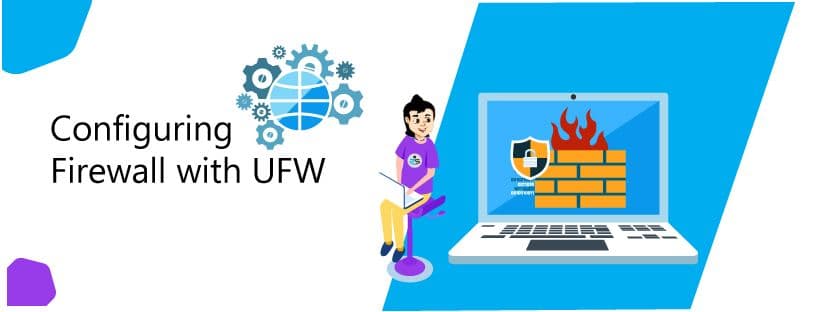
Configuring Firewall with UFW

Travis Ville

  • 4 min read
Configuring Firewall with UFW

Generating audio, please wait...

Managing firewall using the only tables can be a daunting task and it takes time to be proficient. Many frontends for iptables have been created over the years targeting different audiences. UFW is a frontend for iptables and is particularly well-suited for host-based firewalls. UFW or Uncomplicated Firewall is developed to provide an easy-to-use interface for IPv4 or IPv6 host-based firewall. It provides a command-line interface for manipulating the firewall.

For Ubuntu, ufw is the default firewall configuration tool but it is disabled by default. UFW is not available in centos by default but it is available in the EPEL repository. UFW is a wrapper for iptables and netfilters.

Installing UFW

  • Ubuntu

UFW is available in most Ubuntu-based distributions. If it is not available you can install it using the following command.

# apt-get install ufw -y
  • Centos

UFW is not available in centos by default. EPEL repository needs to be installed first. You can install the same using the following command.

# yum install epel-release -y

Once the EPEL repository is installed, UFW can be installed using the following command.

# yum install --enablerepo="epel" ufw -y

You can check the installation by running the following command.

# ufw --version
ufw 0.35
Copyright 2008-2015 Canonical Ltd.

Check Status

The status of UFW can be checked anytime using the following command. Initially, the UFW will be inactive.

# ufw status
Status: inactive

If the UFW is active then it will show the list of all rules.

# ufw status
Status: active
To Action From
-- ------ ----
3333 ALLOW 122.165.118.184
22 ALLOW Anywhere
22 (v6) ALLOW Anywhere (v6)

Enable the Firewall

To prevent yourself from locking out if you are working over SSH, you should set up the basic rules first and then enable UFW.
To allow both incoming and outgoing connections on port 22 (or any port) for SSH, you can use the following command.

# ufw allow ssh
or
# ufw allow 22
or
# ufw allow <port number>

The following command can be used to enable UFW and enforce your firewall rules.

# ufw enable

Command may disrupt existing ssh connections. Proceed with operation (y|n)?y
Firewall is active and enabled on system startup

Similarly, UFW can be disabled by using the following command.

# ufw disable
Firewall stopped and disabled on system startup

Using IPv6 with UFW

If the server is configured for Ipv6 then UFW must be configured to support Ipv6 so that it will be configured for both IPv4 and IPv6. In order to configure the same open the UFW configuration file “/etc/default/ufw”.

# vi /etc/default/ufw

Make sure that “IPV6” is set to “yes”.

IPV6=yes

You will need to ‘disable’ and then ‘enable’ the firewall (restart your firewall) for the changes to take effect.

# ufw disable
# ufw enable

Enable Logging

UFW logging can be enabled using the following command.

# ufw logging on
Logging enabled

Similarly, logging can be disabled using the following command.

# ufw logging off
Logging disabled

A normal log entry in “/var/log/ufw.log” is given below.

May 24 12:39:11 sage2 kernel: [UFW BLOCK] IN=ppp0 OUT= MAC= SRC=122.252.14.170 DST=10.212.135.1 LEN=83 TOS=0x00 PREC=0x00 TTL=63 ID=41805 DF PROTO=TCP SPT=443 DPT=33463 WINDOW=136 RES=0x00 ACK PSH URGP=0

The log values can be explained as below :

  • [UFW BLOCK]: This location is where the description of the logged event will be located. In this instance, it blocked a connection.
  • IN: The event was incoming if this contains a value.
  • OUT: The event was outgoing if this contains a value.
  • MAC: A combination of the destination and source MAC addresses
  • SRC: The IP of the packet source
  • DST: The IP of the packet destination
  • LEN: Packet length
  • TTL: The packet TTL, or time to live. How long it will bounce between routers until it expires if no destination is found.
  • PROTO: The packet’s protocol
  • SPT: The source port of the package
  • DPT: The destination port of the package
  • WINDOW: The size of the packet the sender can receive
  • SYN URGP: Indicated if a three-way handshake is required. 0 means it is not.

You should have installed and configured UFW on your server now. Using UFW you will be able to protect your server from most common attacks. Make sure to allow all incoming connections that are necessary for the proper functioning of the server.

Secure your server

  • Firewalls
  • Security
Configuring Firewall with UFW

6 ways how Outsourcing Server Management will improve Customer Retention

6 ways how Outsourcing Server Management will improve Customer Retention
  • Sever management
logo

How To Configure Django With Apache In CentOS 7

How To Configure Django With Apache In CentOS 7
  • Apache
logo

Understanding the netstat command

Understanding the netstat command
  • Security
logo

Posts by Travis Ville

Travis Ville