


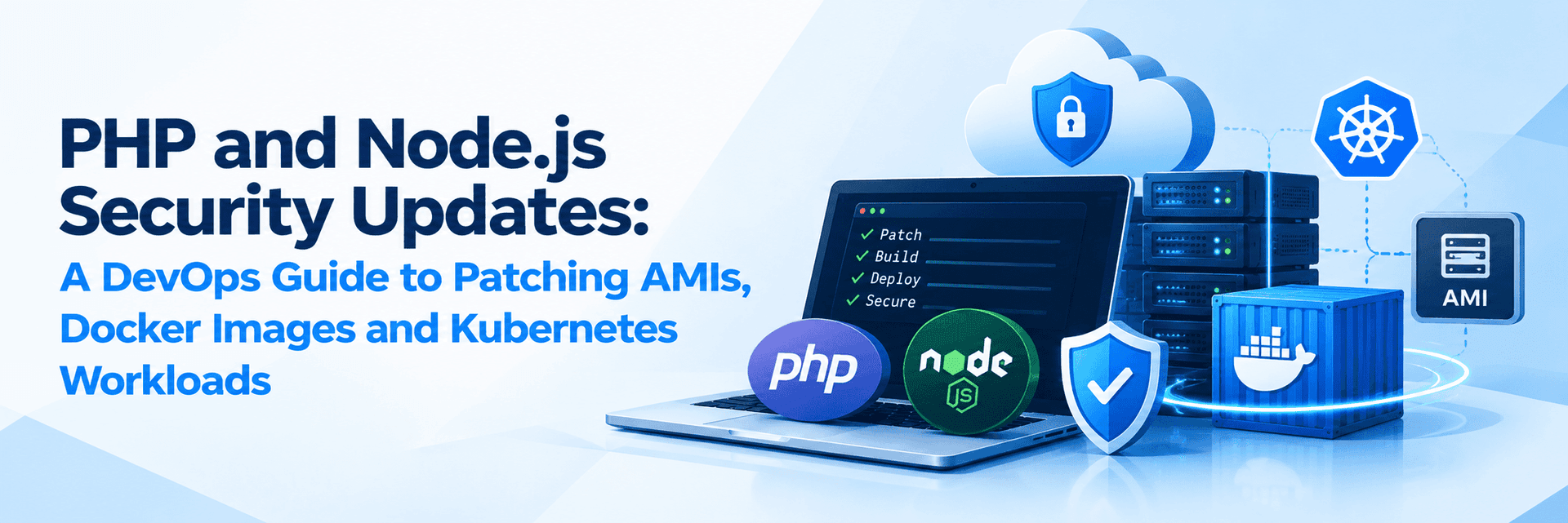
Security patching doesn't end with updating a running server. Your next deployment must be secure, too.
Modern applications often depend on multiple runtime environments, including PHP for web applications and Node.js for APIs, backend services and JavaScript-based applications. When security vulnerabilities are discovered in these runtimes, DevOps teams must ensure that the fixes reach every affected workload without introducing unnecessary downtime or compatibility issues.
Recent security releases from both the PHP and Node.js projects highlight why runtime patching should be treated as an infrastructure and deployment responsibility, not merely a package management task.
For teams operating EC2 Auto Scaling groups, Docker containers, Kubernetes clusters and automated CI/CD pipelines, the challenge is twofold: remediate existing workloads and prevent vulnerable runtime versions from being deployed again.
1. Recent PHP and Node.js Security Vulnerabilities
PHP: Critical remote code execution vulnerabilities
On 21 October 2026, the PHP project released security updates addressing two critical vulnerabilities, CVE-2026-109618 and CVE-2026-109619. Both were rated CVSS v4.0 9.2 and could allow unauthenticated remote code execution under affected conditions.
The advisory covers PHP installations serving web requests, including PHP-FPM, Apache with mod_php, PHP-CGI and LiteSpeed. The PHP project identified mod_php as particularly high risk.
The patched releases announced were:
| PHP branch | Patched version |
| PHP 8.5 | 8.5.12 |
| PHP 8.4 | 8.4.27 |
| PHP 8.3 | 8.3.36 |
| PHP 8.2 | 8.2.35 |
PHP 8.2 is approaching its scheduled end of security support on 31 December 2026. Organisations running this branch should patch immediately and plan a migration to a supported version.
The PHP project's subsequent advisory on 23 October also recommended temporarily disabling session upload progress until the next regular bug-fix release to address an additional aspect of the risk associated with CVE-2026-109619. This should be treated as supplementary guidance, not a replacement for installing the appropriate security update.
Official reference: https://www.php.net/archive/2026.php
Node.js: Runtime and dependency vulnerabilities
On 21 October 2026, the Node.js project published security releases for the 22.x, 24.x and
26.x release lines.
One of the notable issues was CVE-2026-111497, a high-severity vulnerability involving the Node.js Brotli decoder that could permit remote code execution. The release also addressed vulnerabilities involving DNS resolution, TLS certificate hostname validation, HTTP keep-alive handling, cryptographic randomness and other components.
The corresponding patched releases were:
| Node.js branch | Patched version |
| Node.js 26.x | 26.12.1 |
| Node.js 24.x | 24.22.1 |
| Node.js 22.x | 22.23.4 |
Teams should verify the release appropriate to their application and support requirements against the official advisory.
Unlike a typical application dependency update, a Node.js runtime vulnerability may require updating the Node.js executable itself. Running npm update or fixing application package vulnerabilities alone does not remediate a vulnerable Node.js runtime.
Official reference: https://nodejs.org/en/blog/vulnerability/october-2026-security-releases
2. Why Updating the Runtime on a Running Server Is Not Enough
Consider an application running on Amazon EC2 behind an Auto Scaling group.
An engineer connects to an instance, updates PHP or Node.js, restarts the service and confirms that the application is working.
The running instance may now be secure, but the Golden AMI used to create it could still contain the vulnerable runtime.
If Auto Scaling launches a replacement instance, that instance may recreate the original problem.
The same risk exists in containerised environments. Updating the runtime inside a running container does not automatically update the Docker image stored in the container registry. A subsequent deployment can recreate the application with the older runtime.
This creates a gap between the current state of the infrastructure and the configuration used to deploy future workloads.
A reliable DevOps patching strategy must update the running workload, the deployment artefact and the automation that creates it.
3. Patch Options for EC2 and Auto Scaling Environments
For applications running directly on EC2, the appropriate patching approach depends on how the runtime is installed.
Option A: Update the runtime on existing instances
If PHP or Node.js is installed using the operating system's package manager, use the appropriate vendor-supported security update.
For example, on a RHEL-compatible system using DNF, a package-managed PHP deployment might use:
sudo dnf update 'php*' On an Ubuntu or Debian system, a package-managed Node.js installation may be updated through the configured package repository:
sudo apt update
sudo apt install --only-upgrade nodejs
These are examples, not universal commands. Confirm the configured repository, package naming, available patched version and compatibility requirements before applying an update. Package versions supplied by operating system vendors may differ from upstream release numbers.
If PHP or Node.js was installed from source, through NVM or using a custom repository, follow the corresponding installation and upgrade procedure instead.
After patching, verify the runtime and restart the relevant services or processes where required:
php -v node --version This approach can remediate an existing server, but it does not automatically update the Golden AMI or the infrastructure provisioning process.
Option B: Update the Golden AMI and Launch Template
For immutable infrastructure, updating the image-building process is essential.
A recommended workflow is:
- Identify the affected runtime versions across instances and AMIs.
- Update the PHP or Node.js installation in the image-building pipeline.
- Build a new AMI using the patched runtime and required dependencies.
- Validate the image in a staging environment.
- Create a new EC2 Launch Template version referencing the updated AMI.
- Perform a controlled instance refresh or replacement.
- Verify the runtime on existing and newly launched instances.
Tools such as Packer, Ansible and AWS Image Builder can help automate this workflow.
Option C: Update provisioning automation
Some environments install runtimes during instance startup rather than embedding them in the AMI.
Review:
- Cloud-init and user data scripts.
- Ansible playbooks and other configuration management.
- Package repository configuration.
- Version-pinned installation scripts.
- Startup scripts and application deployment automation.
If these mechanisms continue to install a vulnerable runtime, every replacement instance could reintroduce the same issue.
The objective is to ensure that both the machine image and the runtime provisioning process consistently produce a patched environment.

4. Patch Options for Docker and Kubernetes
Containerised workloads require a different approach because the runtime is commonly packaged into the application image.
Option A: Update the Docker base image
A Dockerfile might begin with:
FROM node:24.22.1-bookworm-slim Or, for PHP:
FROM php:8.4.27-apache These illustrate the principle of selecting an explicitly patched runtime version. Before using a particular tag, verify that it is published, supported and suitable for the application's operating system and dependencies.
For custom images, update the runtime and relevant operating system packages within the build process.
Option B: Rebuild and scan the image
After updating the base image or runtime installation:
- Rebuild the application image.
- Run automated vulnerability scans.
- Execute unit tests, integration tests and application health checks.
- Publish the validated image to the container registry.
- Deploy the updated image through the CI/CD pipeline.
- Verify the version actually running in production.
For example:
docker build -t my-app:security-patch . docker image inspect my-app:security-patch The image inspection command confirms image metadata, not the absence of vulnerabilities. Runtime and vulnerability verification must be performed separately.
For production workloads, consider immutable image digests and retain traceability between the source commit, build, security scan and deployed image.
Option C: Roll out the patched image in Kubernetes
Updating an image in a registry does not automatically update Kubernetes workloads.
The relevant Deployment, StatefulSet or other workload must reference the new image, and the rollout must complete successfully.
A typical Deployment update can be initiated with:
kubectl set image deployment/my-app \   my-container=my-app:security-patch Then monitor the rollout:
kubectl rollout status deployment/my-app kubectl get pods
Replace the example resource and container names with those used in your environment.
A production rollout should include readiness checks, appropriate replica capacity, monitoring and a documented rollback strategy. Reverting to a vulnerable image should not be treated as an acceptable permanent resolution.
5. Patch Options for Node.js Application Dependencies
Node.js security management also requires distinguishing between vulnerabilities in the runtime and vulnerabilities in application dependencies.
A project may use a secure Node.js version but still contain vulnerable packages in its dependency tree.
A basic dependency review can start with:
npm audit npm outdated Depending on the package manager, the equivalent commands may be pnpm audit or yarn audit.
Review the findings and update affected dependencies according to the advisories and compatibility requirements. Test the resulting dependency changes before deployment.
Be cautious with automated commands that force major dependency upgrades. They may introduce breaking changes without resolving every runtime vulnerability.
A complete Node.js remediation process should therefore cover both:
- Runtime patching: Upgrade Node.js itself to the appropriate patched release.
- Dependency patching: Update vulnerable application packages and lockfiles, then rebuild and test the application.
The same distinction applies to PHP: updating Composer packages does not replace the need to patch the PHP interpreter itself.
6. What If the Patch Cannot Be Applied Immediately?
Some production environments cannot be upgraded instantly because of application compatibility, legacy operating systems, vendor restrictions or limited maintenance windows.
In these situations, prioritise the most exposed workloads and assess temporary risk-reduction measures.
Depending on the vulnerability and deployment architecture, these may include:
- Restricting access to affected services where operationally feasible.
- Disabling a specifically affected feature when supported by the vendor's advisory.
- Increasing security monitoring and logging.
- Isolating the affected workload from unnecessary network access.
- Scheduling an emergency maintenance window.
- Temporarily taking a highly exposed service offline if the risk cannot otherwise be adequately reduced.
For the October 2026 PHP advisory, consult the PHP project's latest guidance for the specific supplementary mitigation relating to session upload progress.
For Node.js, assess the exact vulnerability and the functionality involved before selecting any workaround. A generic firewall rule or application dependency update should not be assumed to mitigate a flaw in the runtime itself.
Temporary mitigation is a bridge to remediation, not a substitute for installing the security fix.
7. A Practical Security Patching Checklist
Before closing a PHP or Node.js security remediation task, confirm the following:
- All affected applications, runtimes and deployment environments have been identified.
- The appropriate patched versions have been confirmed using official advisories.
- Existing instances, containers and long-running processes have been remediated.
- Golden AMIs and Launch Templates have been updated where applicable.
- Docker base images and Kubernetes workload definitions reference the corrected runtime.
- Configuration management and provisioning scripts cannot reintroduce vulnerable versions.
- Application dependencies and runtime vulnerabilities have been assessed separately.
- CI/CD security checks and application tests have passed.
- Production runtime versions and service health have been verified.
- Exceptions, monitoring, remediation evidence and rollback procedures have been documented.
PHP and Node.js security releases are reminders that runtime security extends beyond application code and individual servers.
For EC2 Auto Scaling, the fix must reach the Golden AMI, Launch Template and provisioning automation. For Docker and Kubernetes, it must reach the rebuilt image, deployment configuration and running workloads. For Node.js and PHP applications, runtime updates and application dependency updates must be handled as related but distinct activities.
A reliable DevOps patching strategy combines inventory, prioritisation, automation, controlled rollout and post-deployment verification.
Don't just patch what is running. Secure what will be deployed next.
At SupportSages, we believe secure infrastructure depends on repeatable automation, proactive maintenance and continuous validation. By embedding these practices into everyday DevOps workflows, teams can reduce exposure, improve deployment consistency and maintain reliable production environments.